


Fund your platform wallet
Turn money from your sales into USDC on Solana, then add it to your Zoneless balance for seller payouts.
With Stripe, payouts usually come from money Stripe has already collected for you. Zoneless works differently. Your seller payouts are sent from your own platform wallet, so that wallet needs enough USDC before you can pay anyone.
If your sales settle into a bank account or another payment service, you can use an exchange such as Coinbase or Kraken to buy USDC and send it to your Zoneless wallet.
 1Decide how much USDC you need
Start with the payouts you expect to send soon, then add a little room for changes or refunds. You do not need to move all of your sales revenue into USDC.
For your first deposit, consider sending a small amount first. Once it appears in Zoneless, you can send the rest using the same saved address.
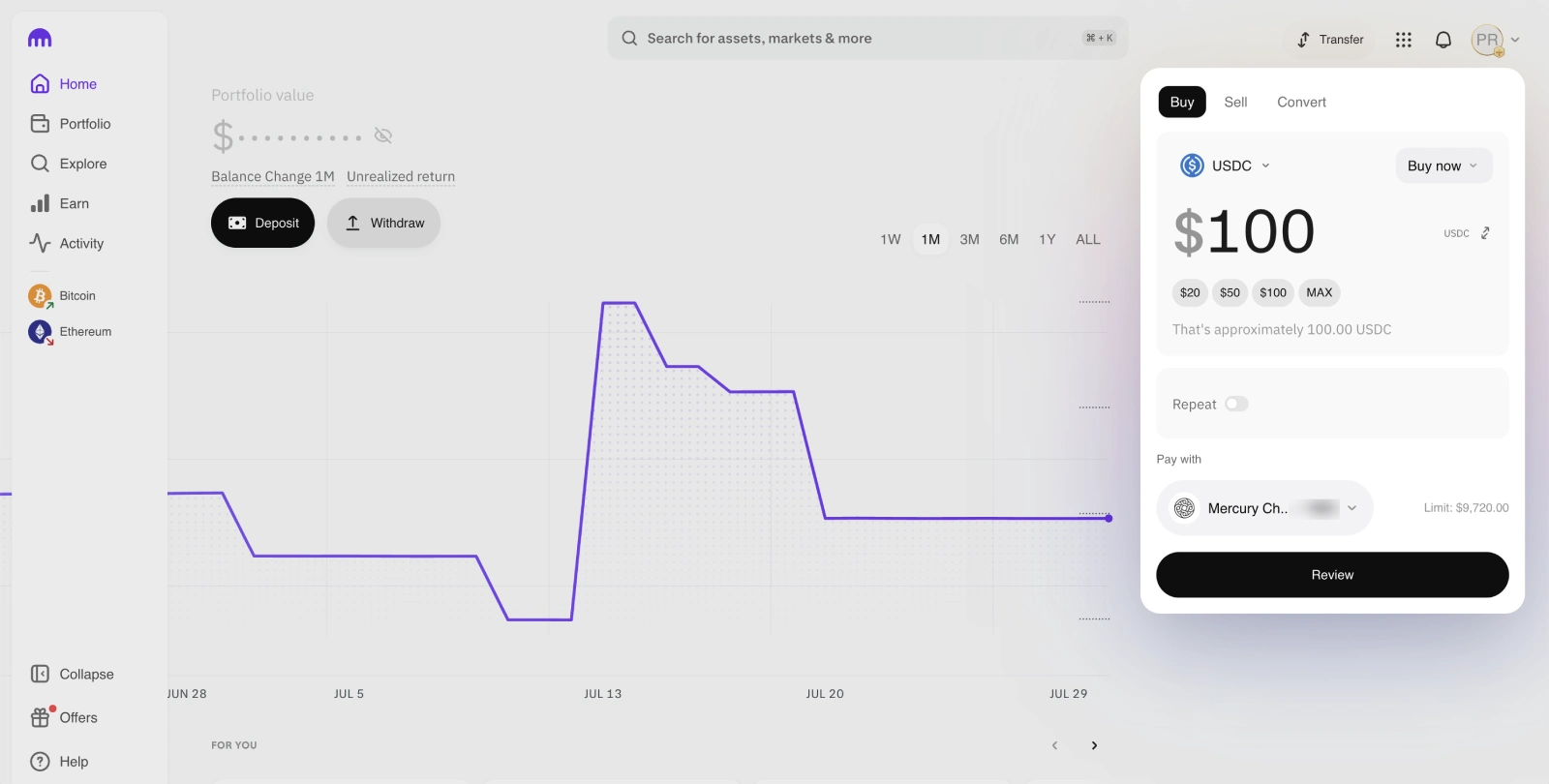
2Buy USDC on an exchange
Sign in to your exchange, add money from your bank account, and buy USDC. The exact buttons differ by exchange, but you are looking for an option named Buy, Trade, or Convert.
Check the exchange fee and any waiting period before you buy. A new bank deposit may need to clear before the exchange lets you send the USDC to another wallet.
3Copy your Zoneless deposit address
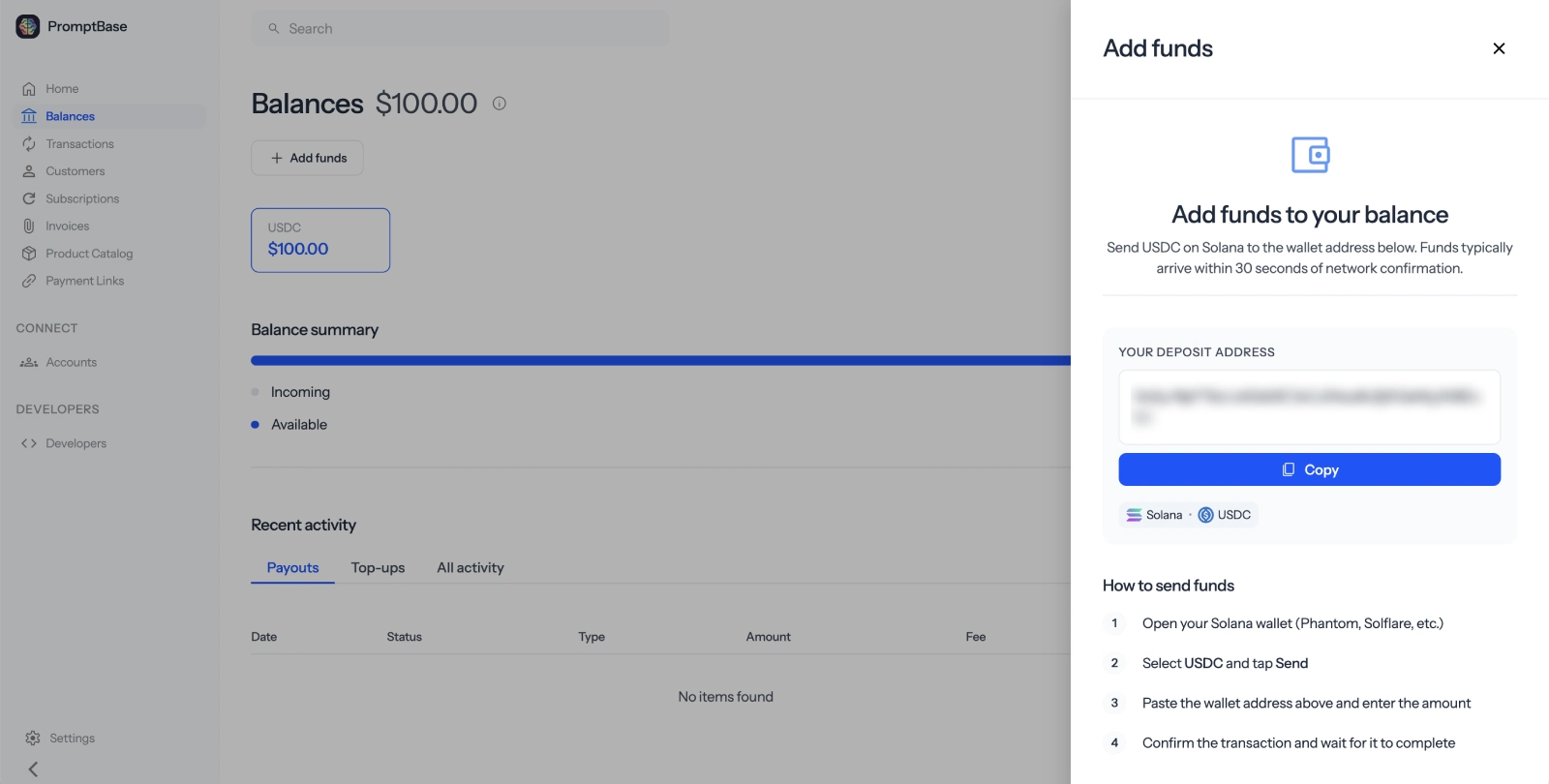
Open Balance in the managed Zoneless dashboard and click Add funds. Copy the deposit address shown in the panel. If you self-host Zoneless, open the same page on your own dashboard.
The deposit address is your platform wallet's public key. If you created the wallet in your browser, it is the public key you saved during setup. You can view or change the platform wallet under Settings.
4Set up the withdrawal
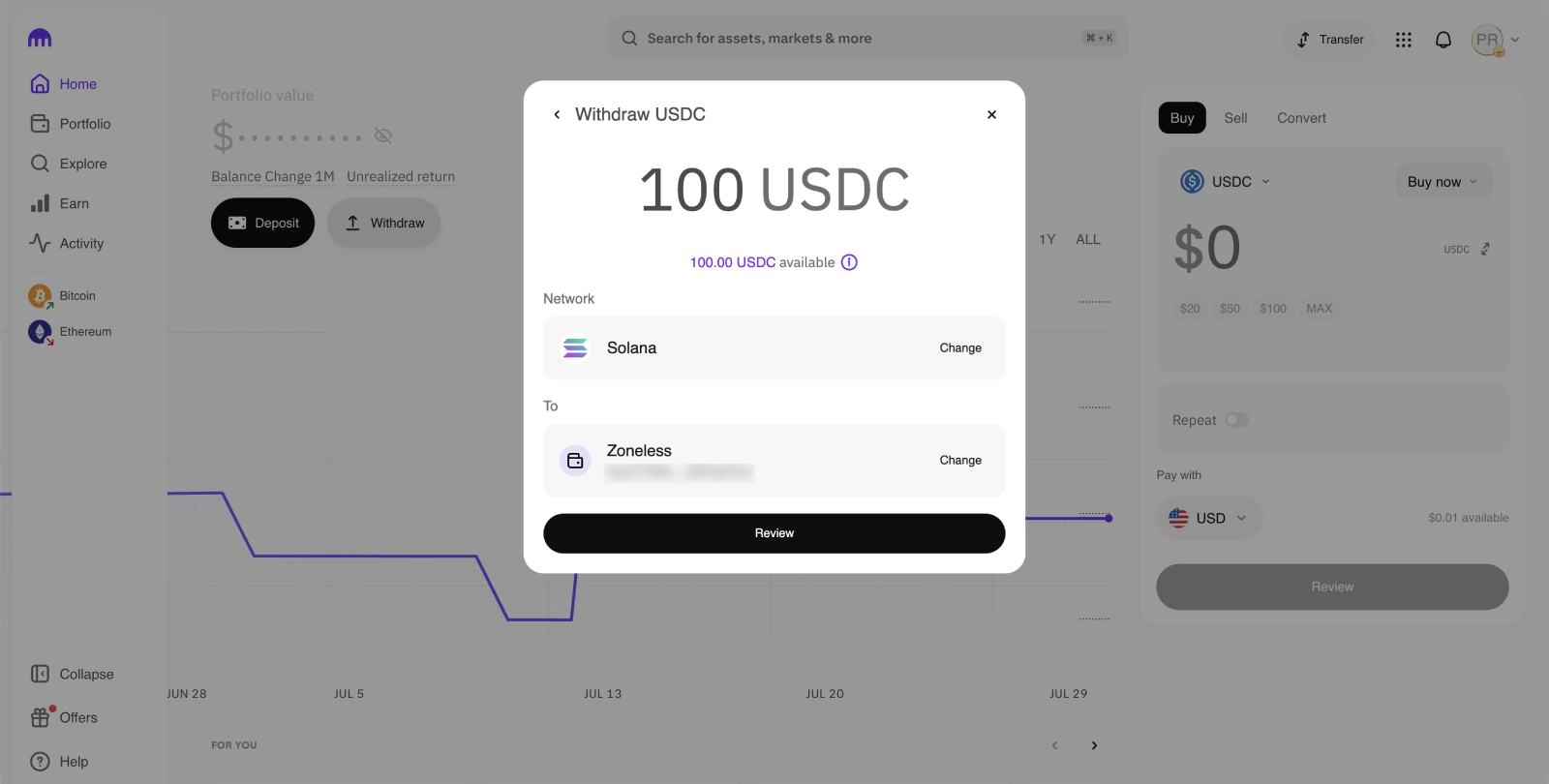
Back on the exchange, choose to send or withdraw USDC. Paste your Zoneless deposit address as the recipient.
When the exchange asks which network to use, select Solana. It may also be labelled SOL or SPL. Do not select Ethereum, Base, Polygon, or another network, even though those networks also support USDC.
5Send the USDC
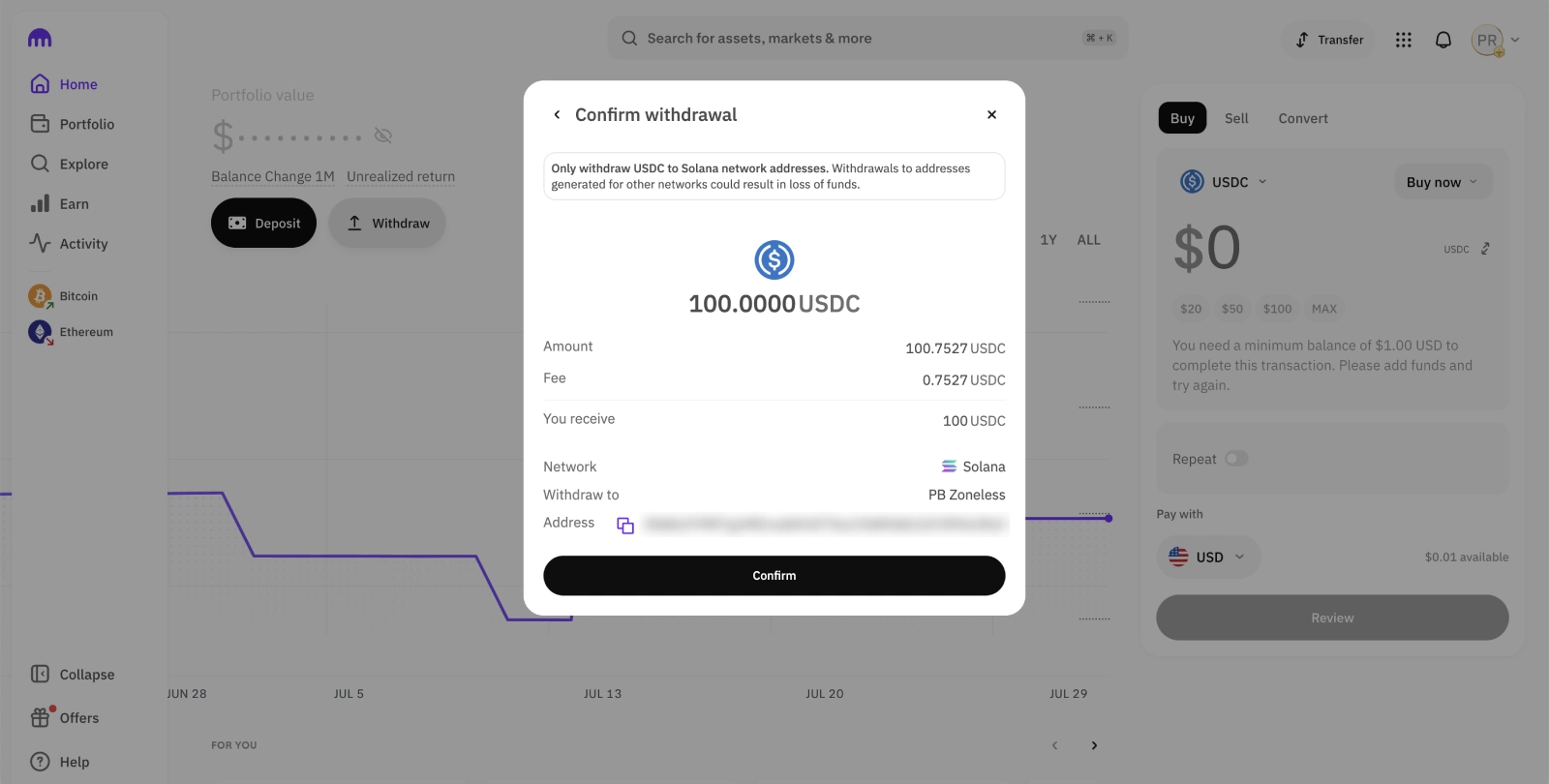
Enter the amount, review the exchange fee, address, and network one more time, then confirm the withdrawal. Your exchange may ask for a security code or email confirmation.
Return to the Zoneless Add funds panel, scroll down to the bottom and click I've sent my funds. Zoneless will watch the wallet for the transfer.
6Wait for confirmation
A Solana transfer usually reaches Zoneless in about 10 seconds after the exchange sends it. The exchange may take longer to review and release a withdrawal.
Once detected, the deposit is added to your available platform balance. If it does not appear, check that the exchange marks the withdrawal as complete, the network was Solana, and the destination matches your deposit address.
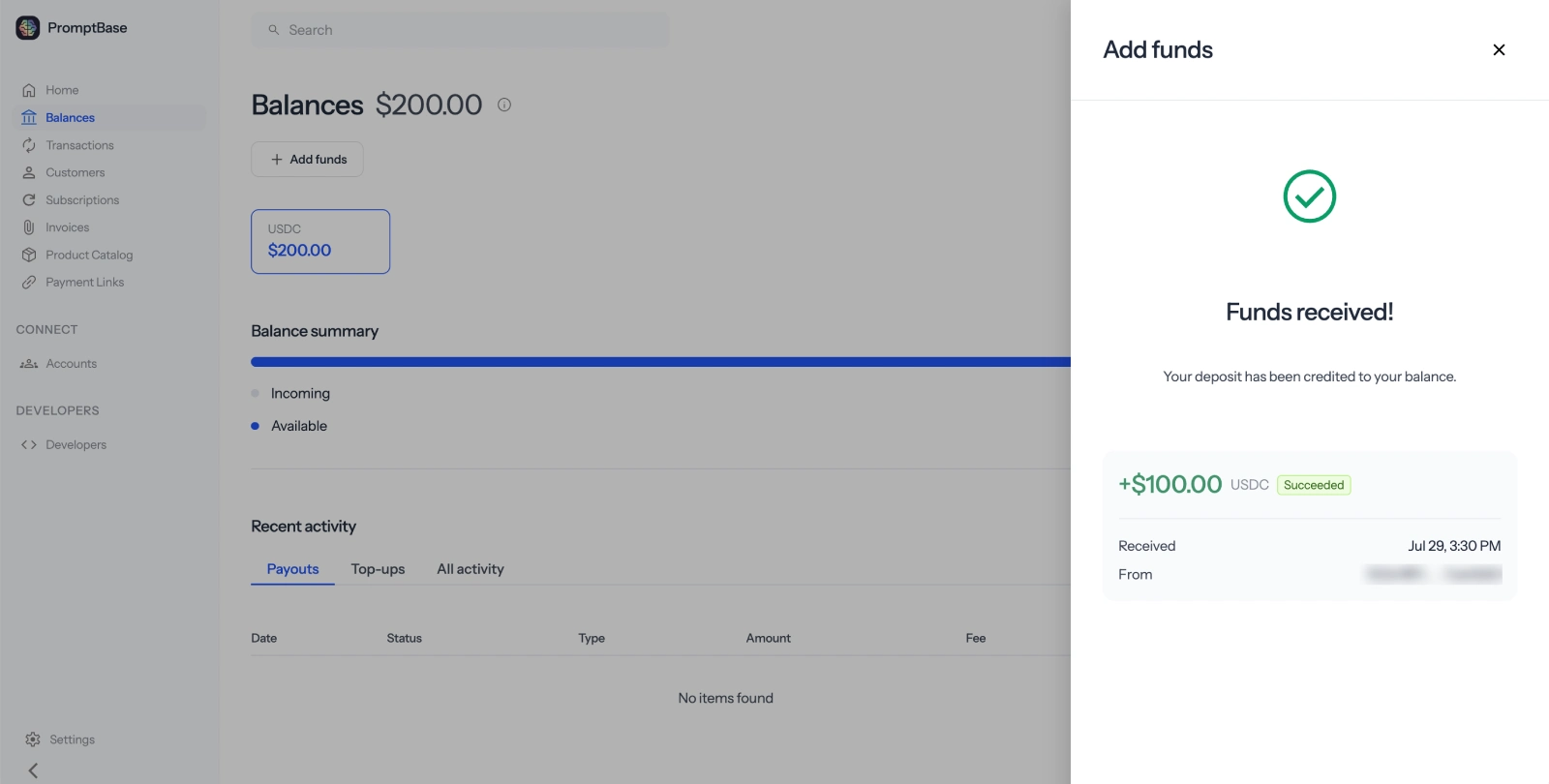
7Use the balance for payouts
Your platform can now transfer funds to connected account balances and pay sellers in USDC. Keep enough USDC in the platform wallet to cover any payouts you create.
- Dashboard quickstart - onboard a seller and send a payout
- API quickstart - create transfers and payouts from your app
- Test funds - add simulated USDC in test mode without using real money