


Quickstart
Onboard a seller and send their first USDC payout with no code.
Start by creating a Zoneless account and opening your dashboard.
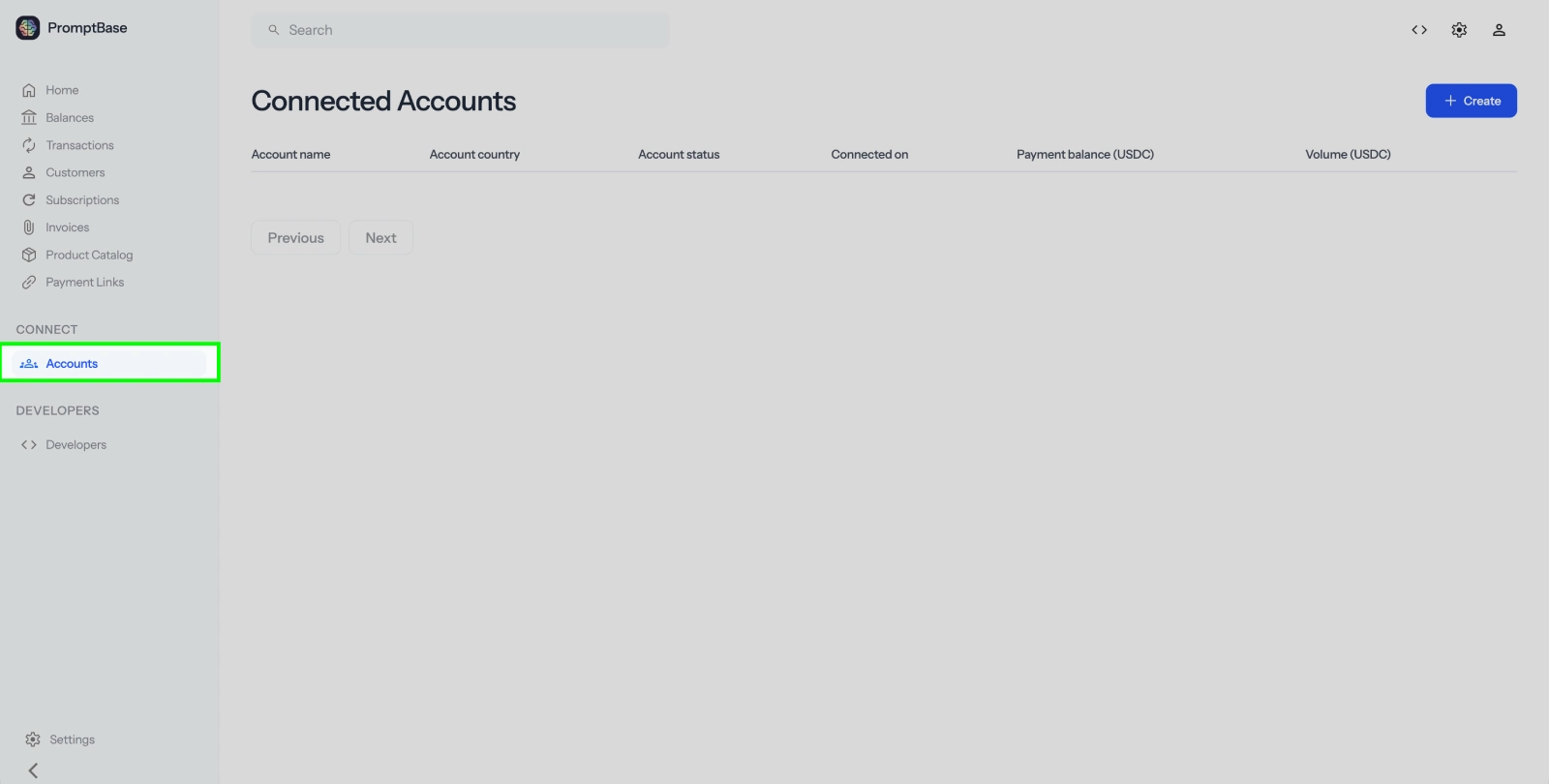
 1Go to Connected accounts
In the dashboard sidebar, open Connected accounts .
.
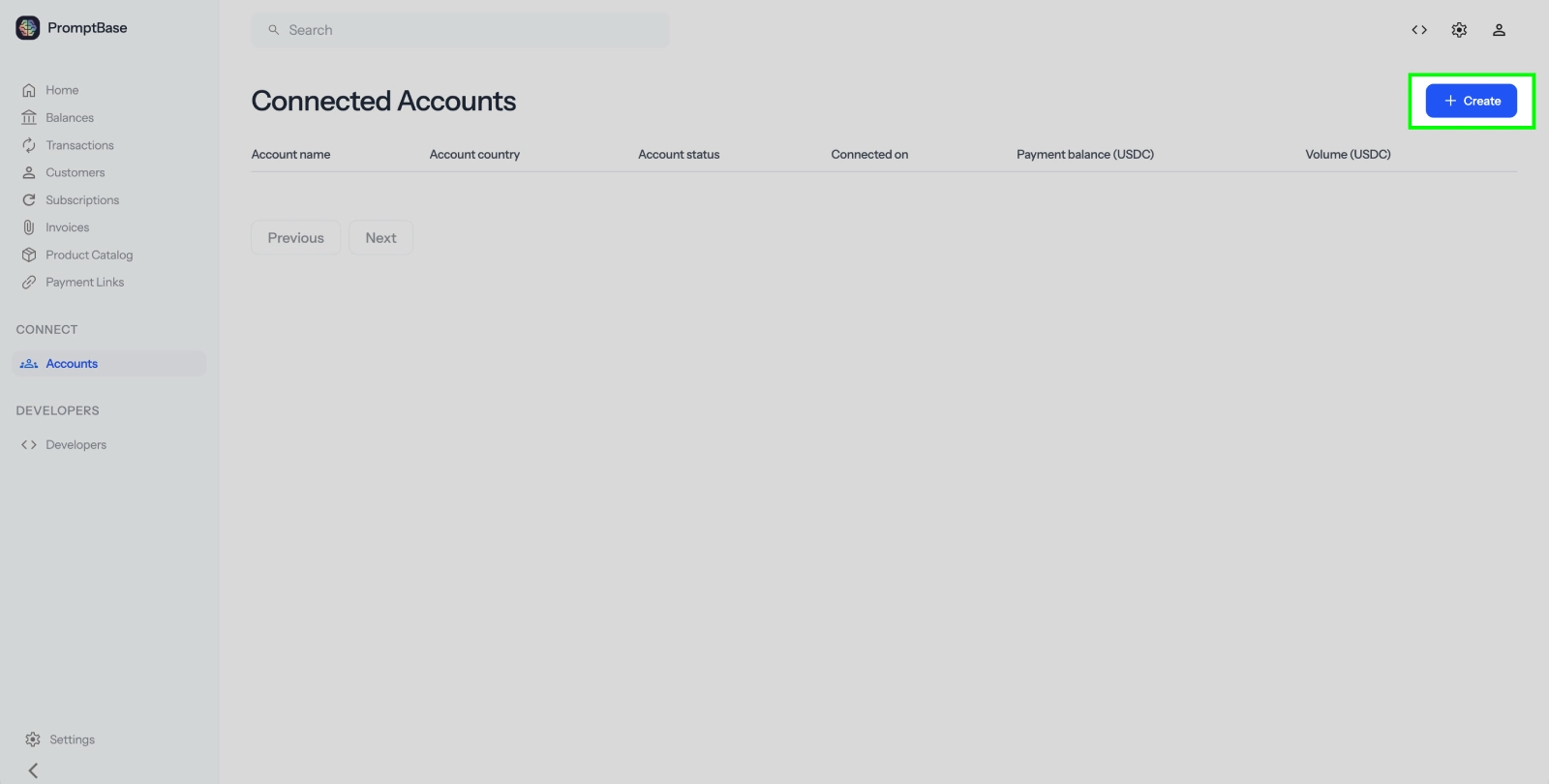
2Create an account
Click + Create in the top-right corner.
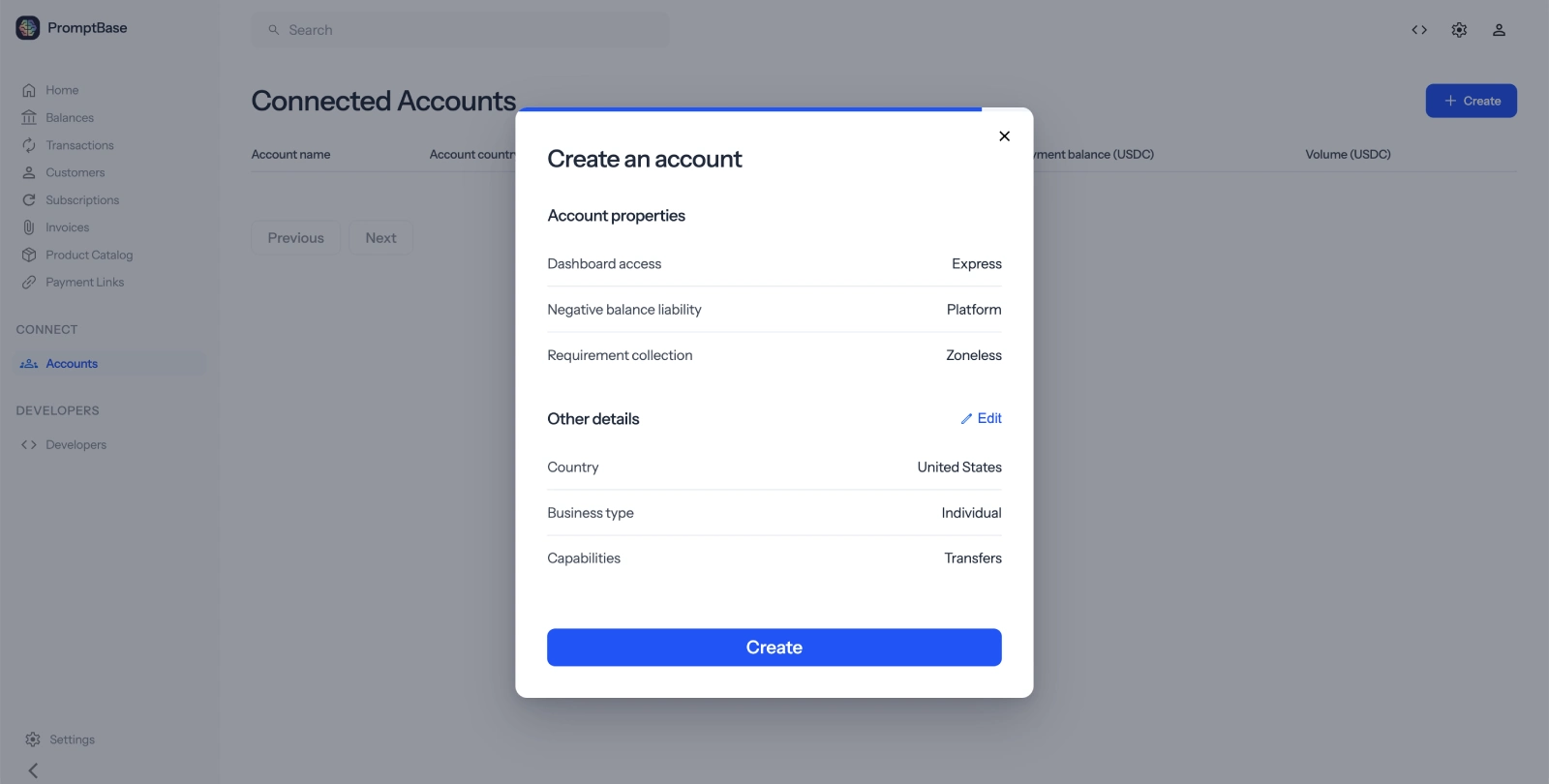
3Add the account details
Edit any details you want to include for the seller, then click Create.
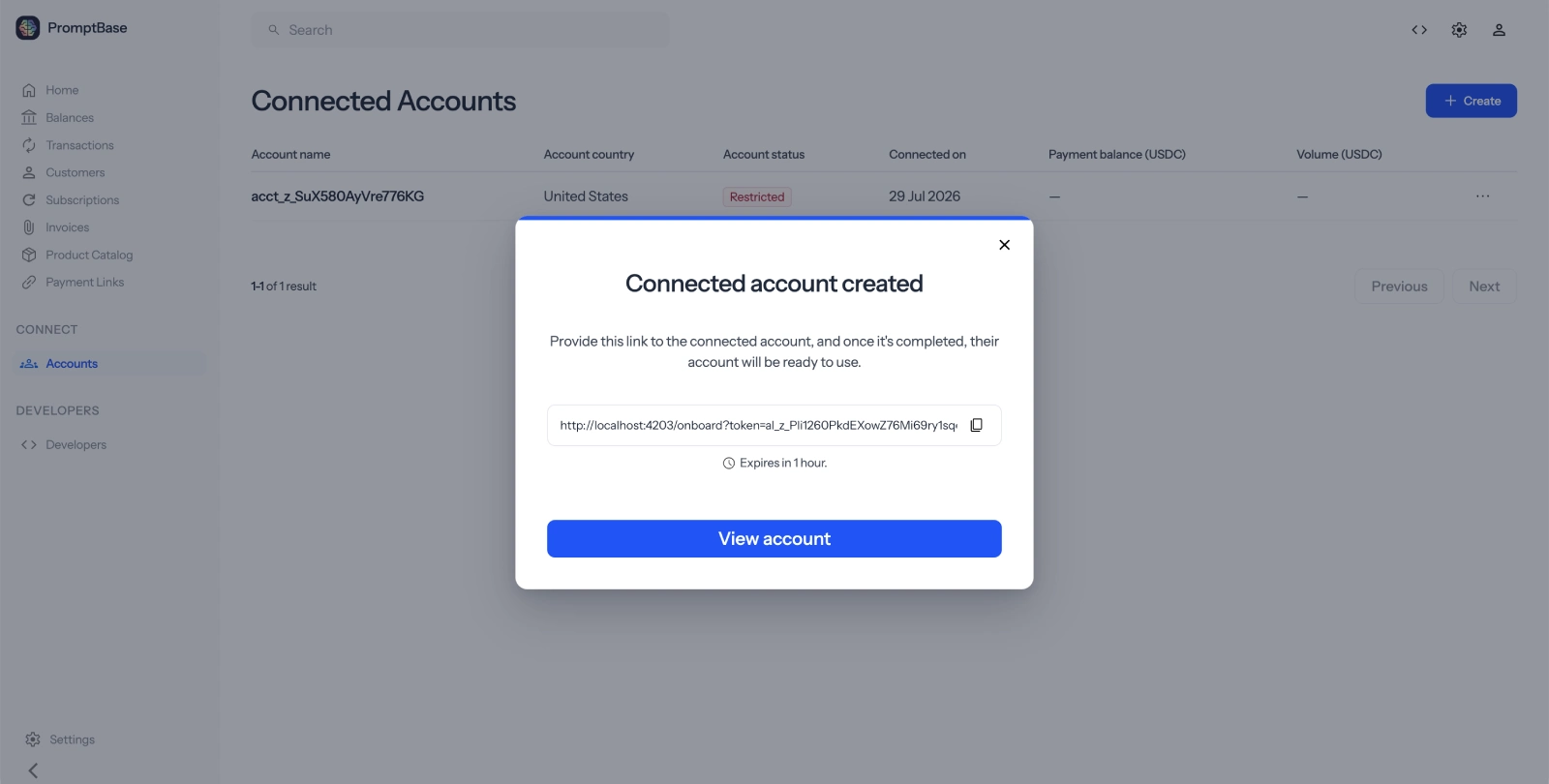
4Share the onboarding link
Copy the onboarding link and send it to the seller.
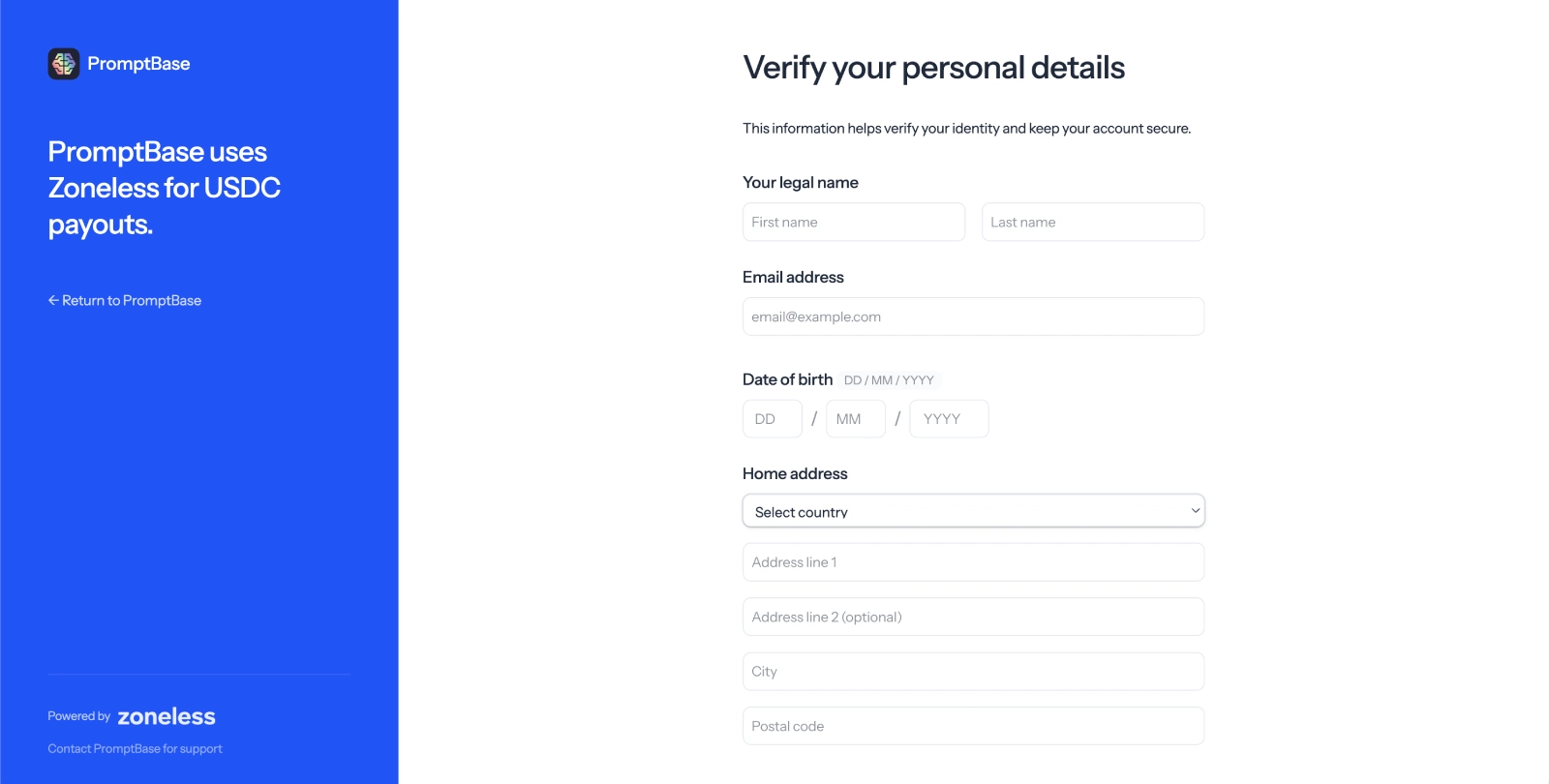
5Let the seller complete onboarding
The seller opens the link, adds their details, and connects the Solana wallet where they want to receive payouts. If you want to test this yourself, open the link in an incognito window.
6Fund your platform wallet
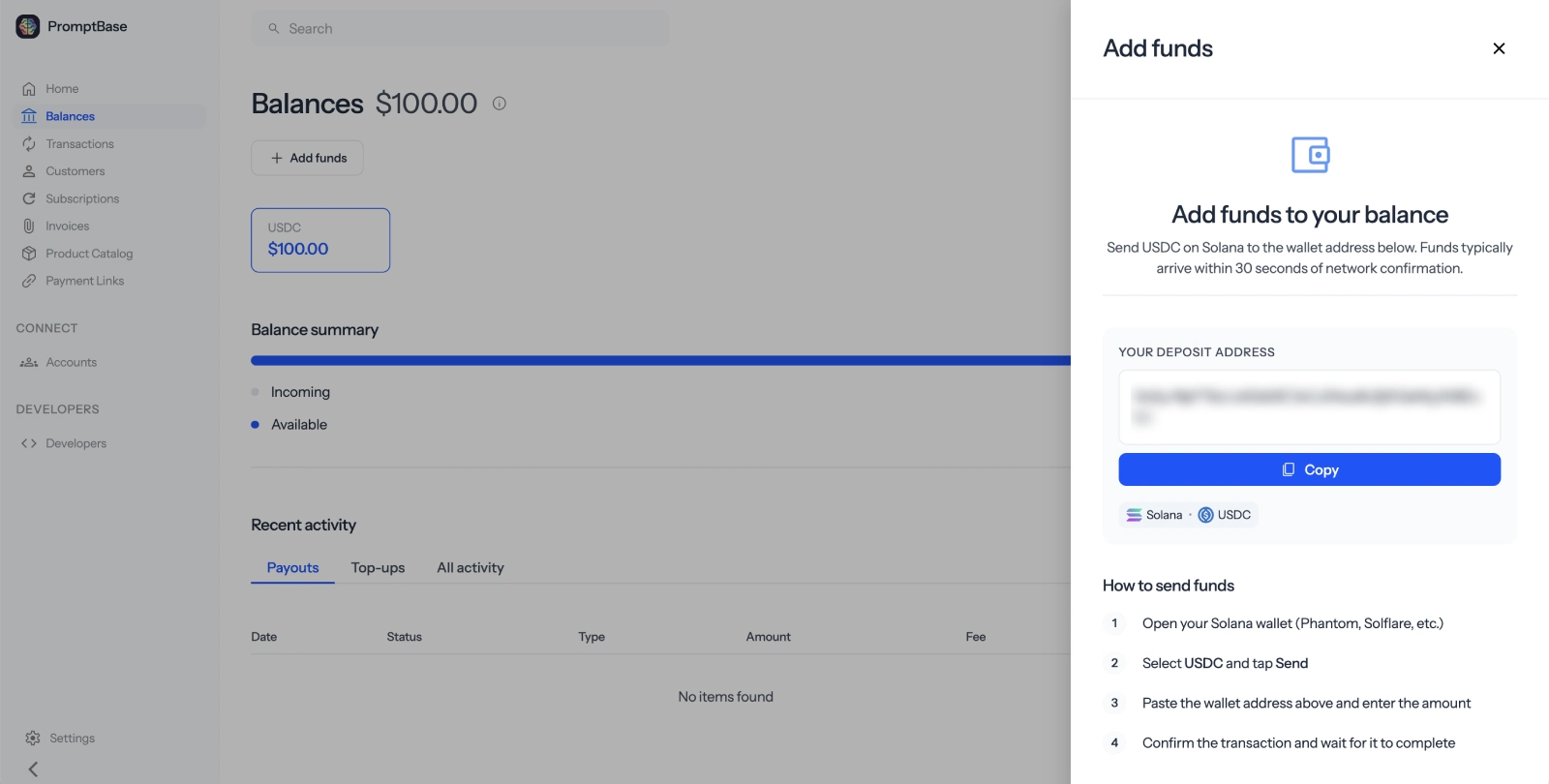
In test mode, open Balance, click Add funds, and choose Add test USDC. In live mode, send real USDC to your platform wallet — see Fund your platform wallet.
7Open the connected account
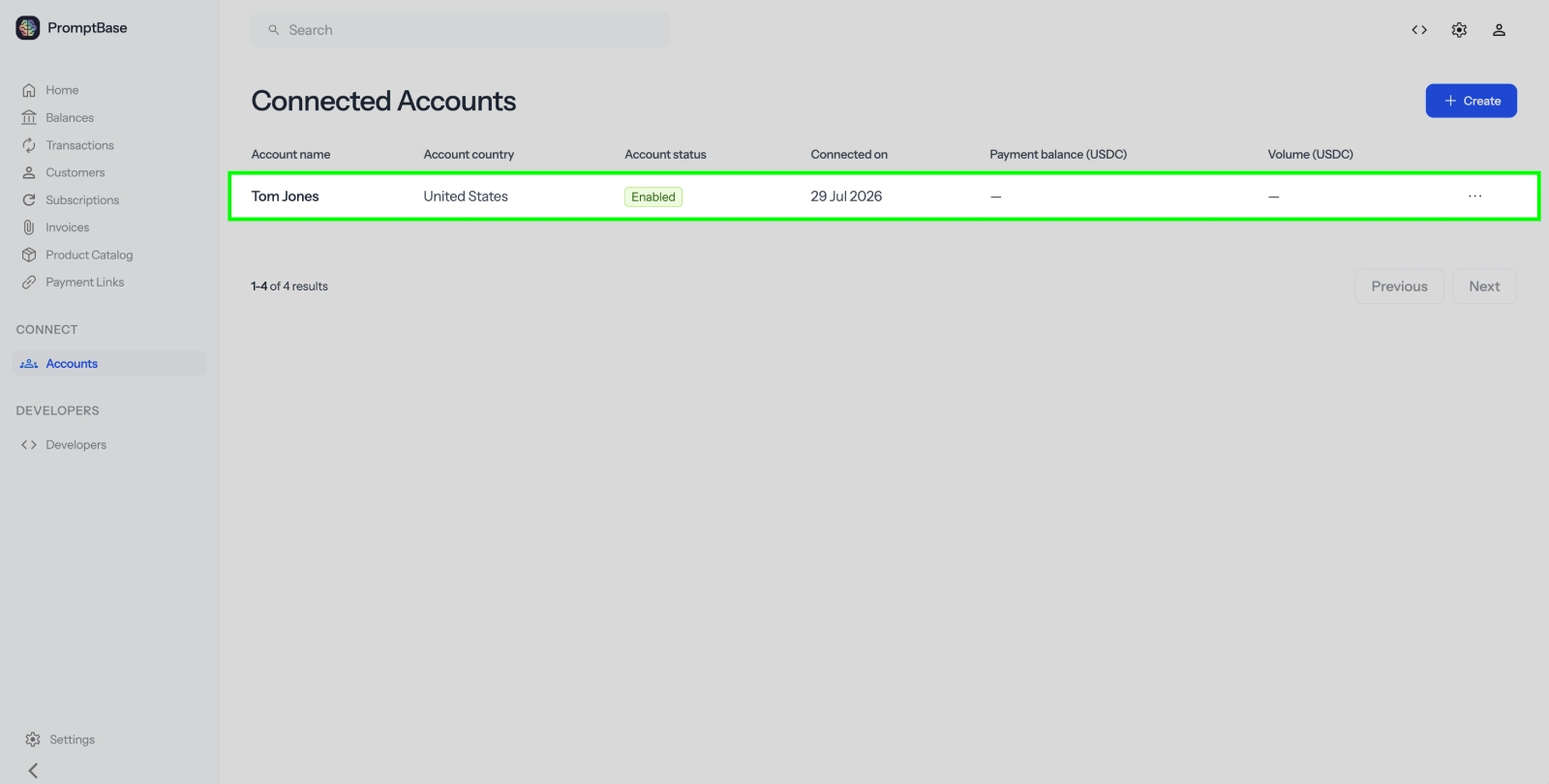
Once the seller has finished onboarding, return to Connected accounts and click their account.
8Open the transfer form
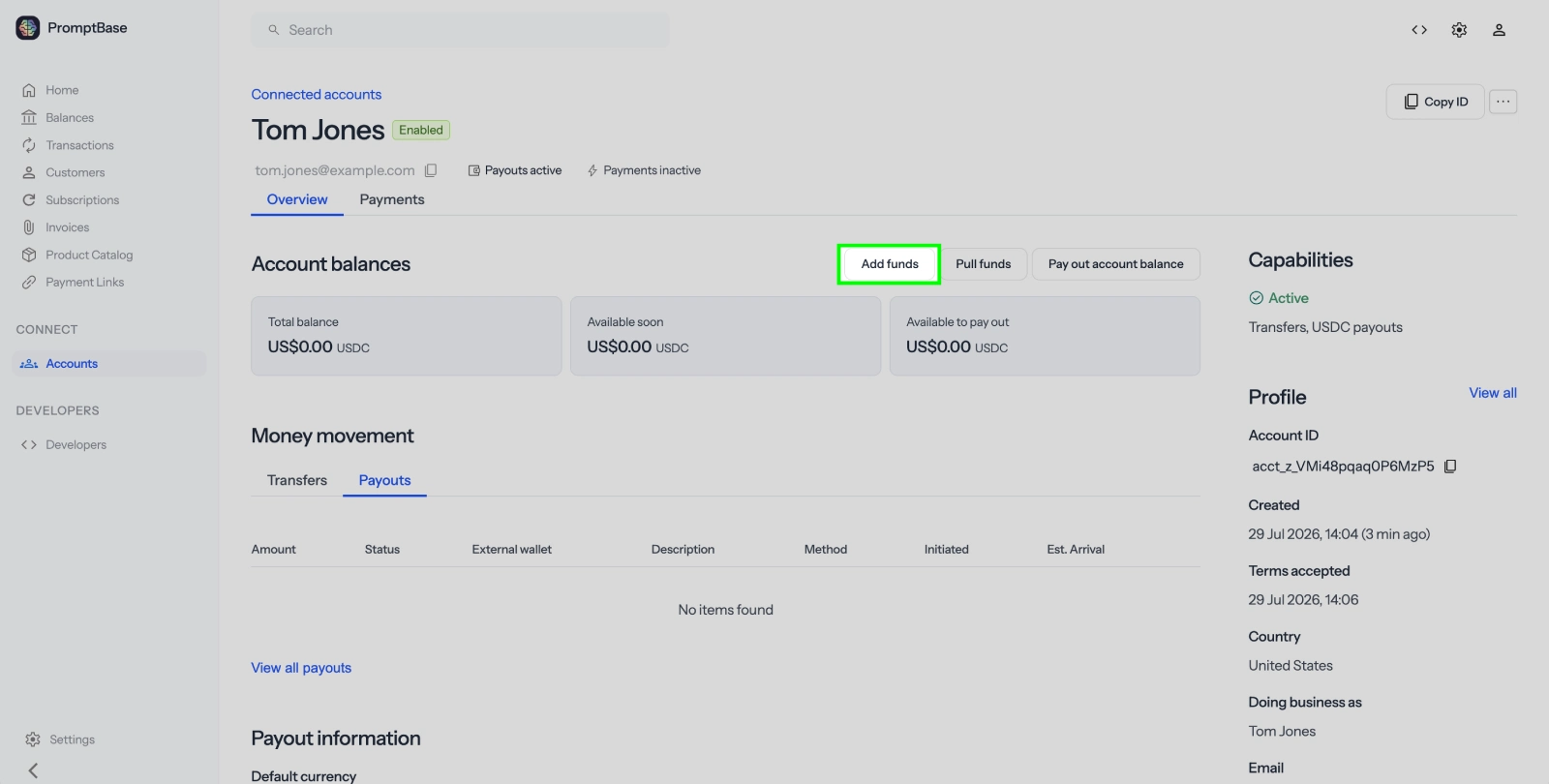
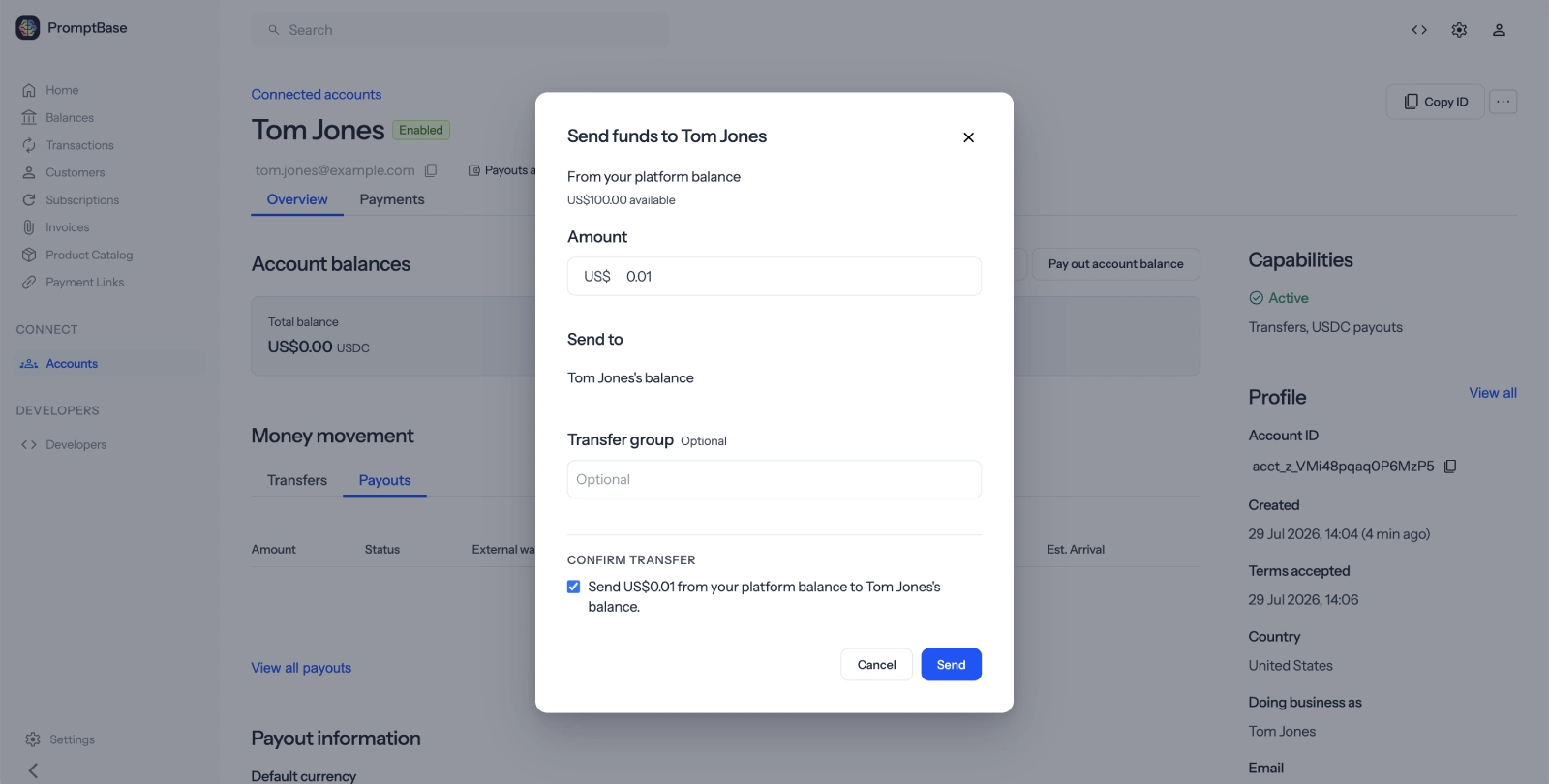
Click Add funds to open the transfer form.
9Transfer funds
Enter the amount to add to the seller's balance, check the confirmation box, and click Send.
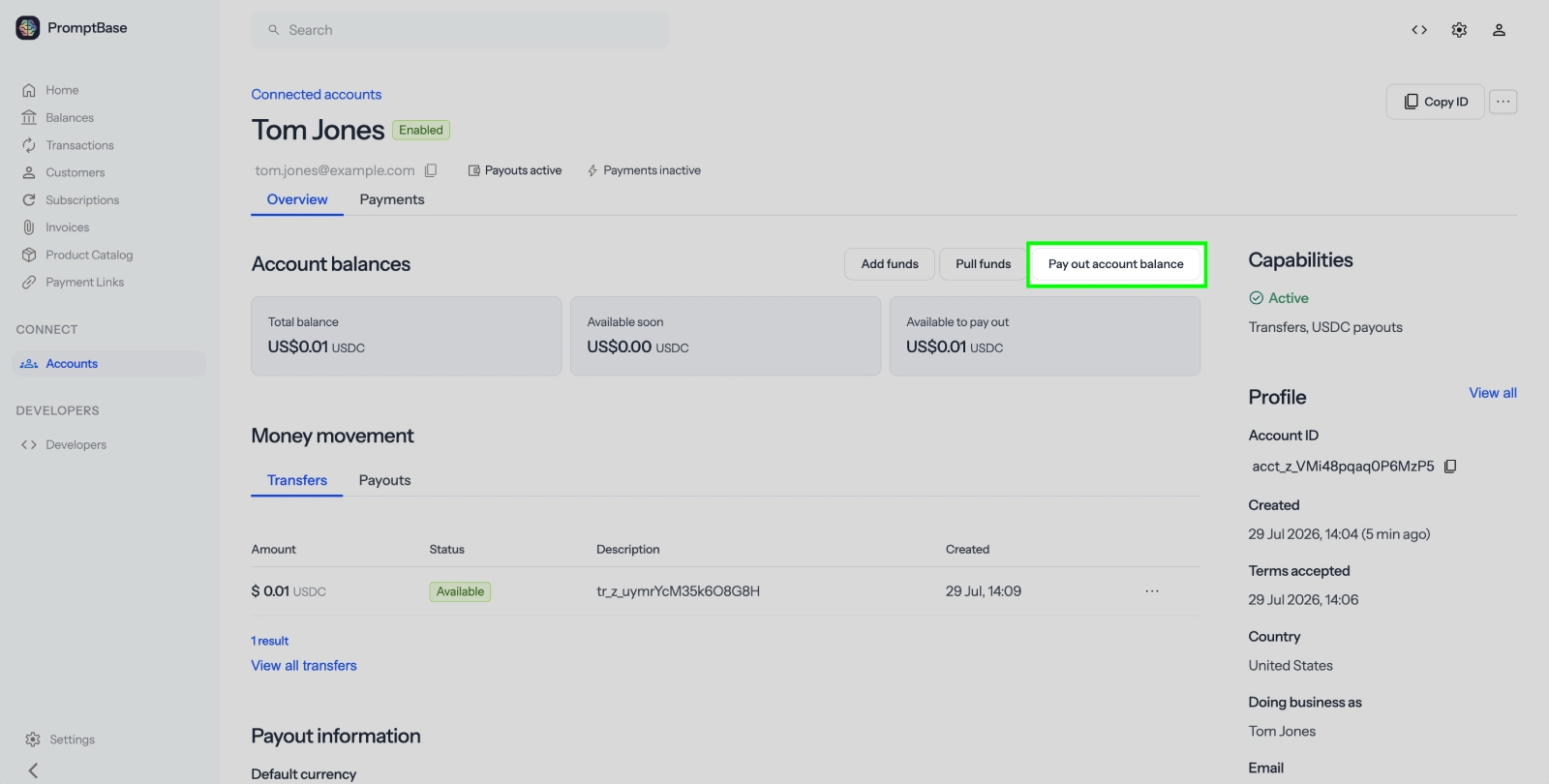
10Open the payout form
Click Pay out account balance.
11Enter the payout amount
Enter the amount to send from the seller's balance to their wallet.
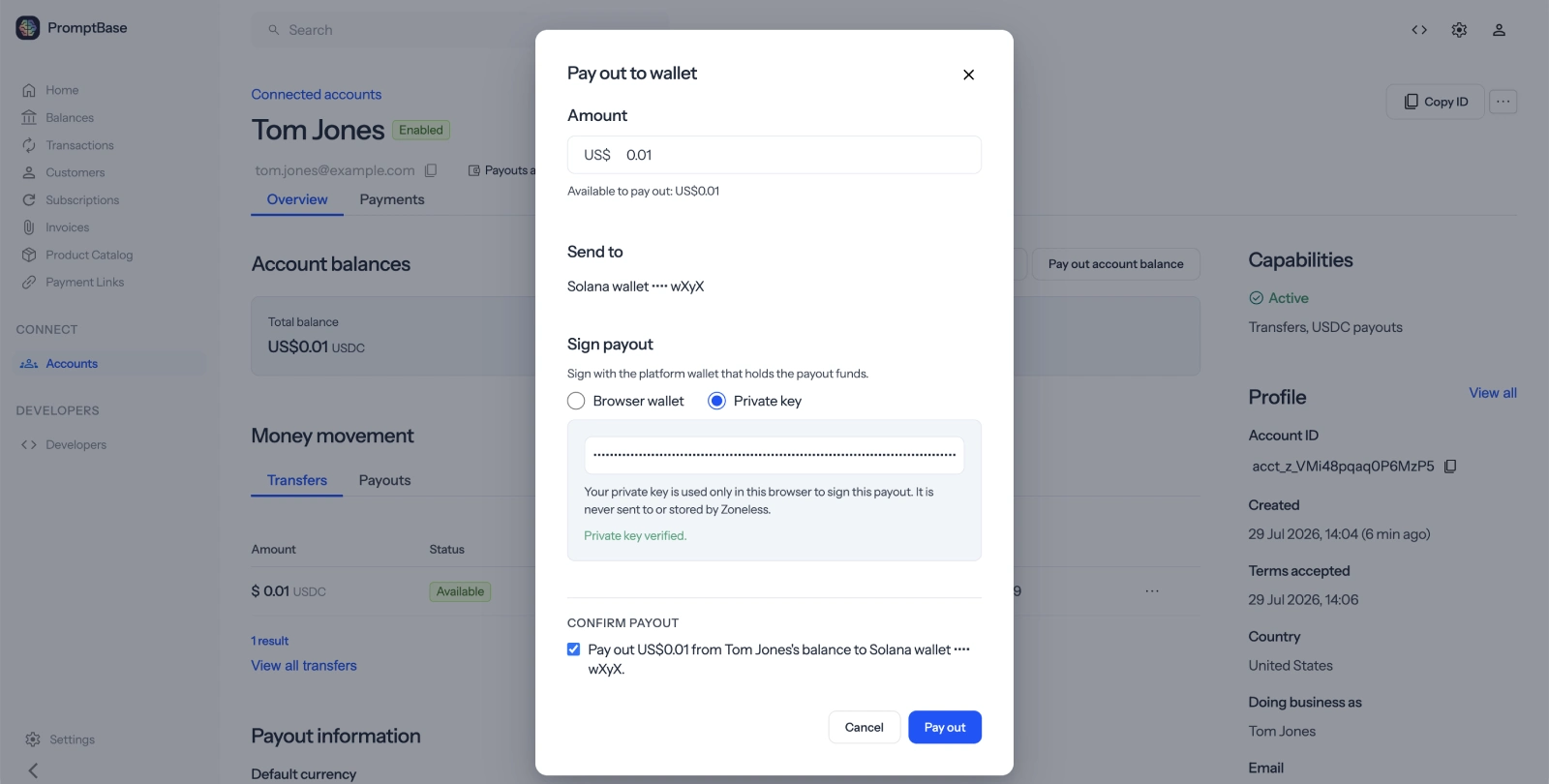
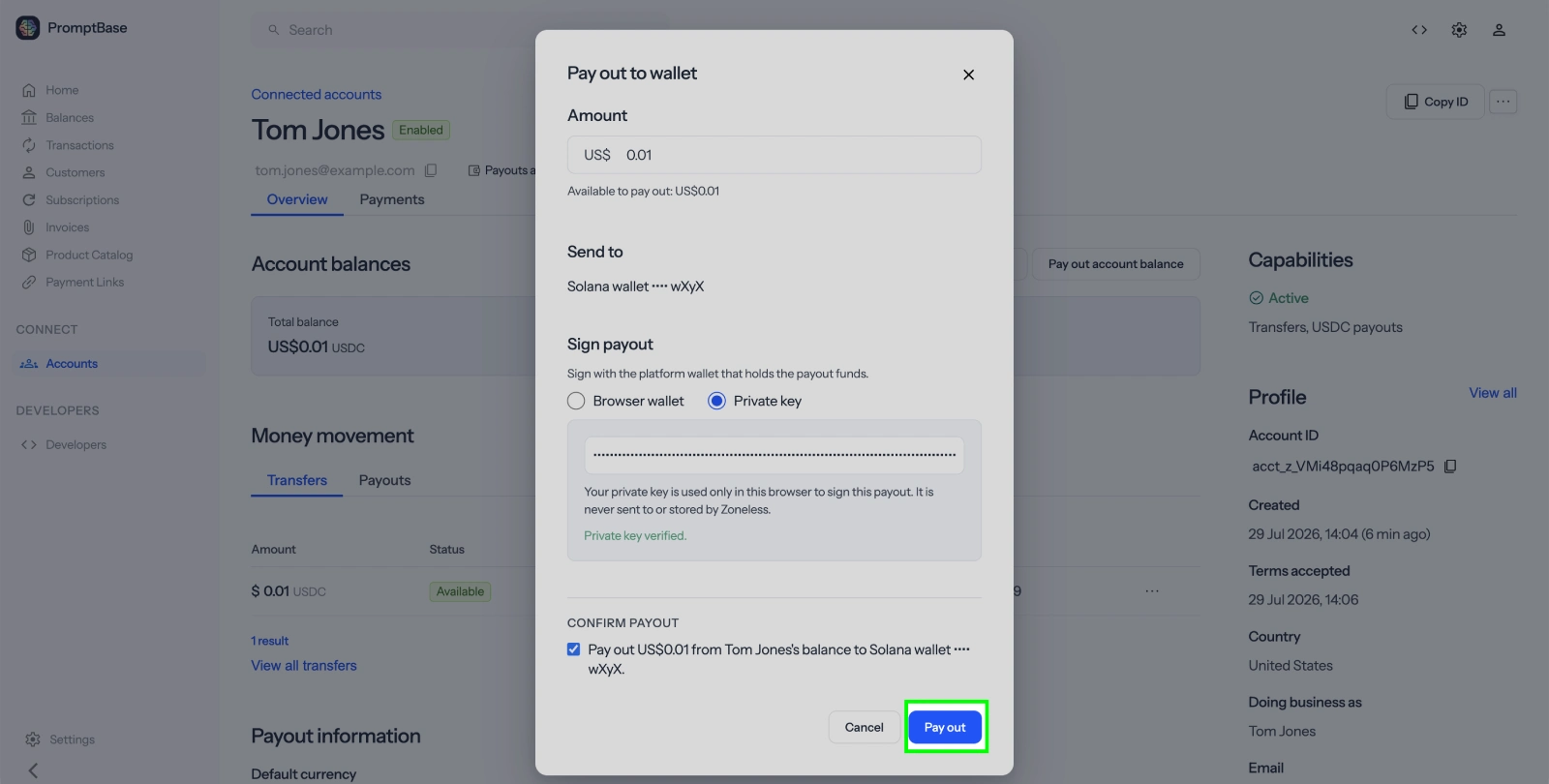
12Sign and send the payout
Sign the transaction with your wallet private key or your browser wallet. Check Confirm payout, then click Send.
Done
The seller should now have the USDC in their wallet.
Next steps
- API quickstart - onboard and pay sellers from your app
- Connected accounts - learn how platform requests work
- Identity verification - require KYC before payouts