
How Zoneless Payouts Work
A simple guide to how Zoneless sends stablecoins to marketplace sellers without relying on traditional bank payout networks.
So, how does Zoneless actually work? You might be wondering how the fees can be almost zero, how you can pay someone no matter which country they're in, and whether this is using some weird, scammy crypto thing.
In this article, we'll explain everything in simple terms, so you can feel confident using Zoneless to pay sellers or creators on your platform.
A different payout system
Zoneless payouts don't use banks, Visa, Mastercard, wire transfers, or any of the traditional systems for moving money. Instead, they use a blockchain.
You might have heard of blockchains through Bitcoin. You might also feel slightly negative or sceptical about them. Crypto has earned a bad name from pump-and-dump schemes, scams, and the general crowd around it.
But if you look past the noise, a blockchain is quite simple. It's a shared record of who owns what. That makes it a useful and efficient way to move money.
For now, think of the blockchain as the rails that carry the money. It does the job that the Visa network does in a card payment.
So, we have the rails. What about the actual money? That's where a stablecoin comes in. A stablecoin links money on a blockchain to a traditional currency in the real world, such as the US dollar.
Zoneless uses a stablecoin called USDC. Each USDC is designed to remain worth one US dollar and can be redeemed 1:1. USDC is issued by a company called Circle and backed by cash and cash-equivalent assets. It's one of the most widely used regulated stablecoins.
Why do we even need a different payment system?
The world is very complicated. Every country has its own rules, languages, currencies, banks, and payment systems.
Think for a moment about what happens when you pay for something online. A request travels from the shop to the card network, then to your bank, and eventually back to the shop's payment provider. If the payment crosses borders, more banks, currency conversions, and local systems may get involved.
Every extra step creates friction. These systems are old, complicated, and expensive to maintain. Sending money between countries can easily cost tens of dollars once you include wire fees and currency conversion.
A blockchain, on the other hand, is one shared system. At its simplest, it records who owns what. That simplicity makes sending money from one person to another incredibly cheap. We're talking fractions of a cent rather than tens of dollars.
This is why Zoneless uses a blockchain to move money, and why its payout fees are basically next to nothing.
Public blockchains are also decentralised, meaning no single person controls them; permissionless, meaning anyone can create a wallet; and programmable, meaning they can do more than just move money.
But that's for another blog post.
The short version
You only need to remember three things:
- USDC is the money. It's a stablecoin designed to remain worth one US dollar.
- A wallet stores the money. It works a little like an online bank account and has an address that other people can send money to.
- A blockchain moves the money. Solana is the blockchain Zoneless uses. In this payout flow, it does the job that a banking or card network would normally do.
That's the basic model: USDC is the money, a wallet stores it, and a blockchain moves it.
Your marketplace's wallet
When you set up Zoneless, you create a wallet for your marketplace. Zoneless can create one for you securely in the browser.
Think of it as a programmable bank account. Most bank accounts aren't built to let your software pay anyone, anywhere, at any time. A wallet is. That's a big part of how Zoneless can remain open source and usable by anyone.
Your wallet holds the USDC used for seller payouts. Your marketplace controls it, whether you use Zoneless Cloud or self-host the open-source stack.
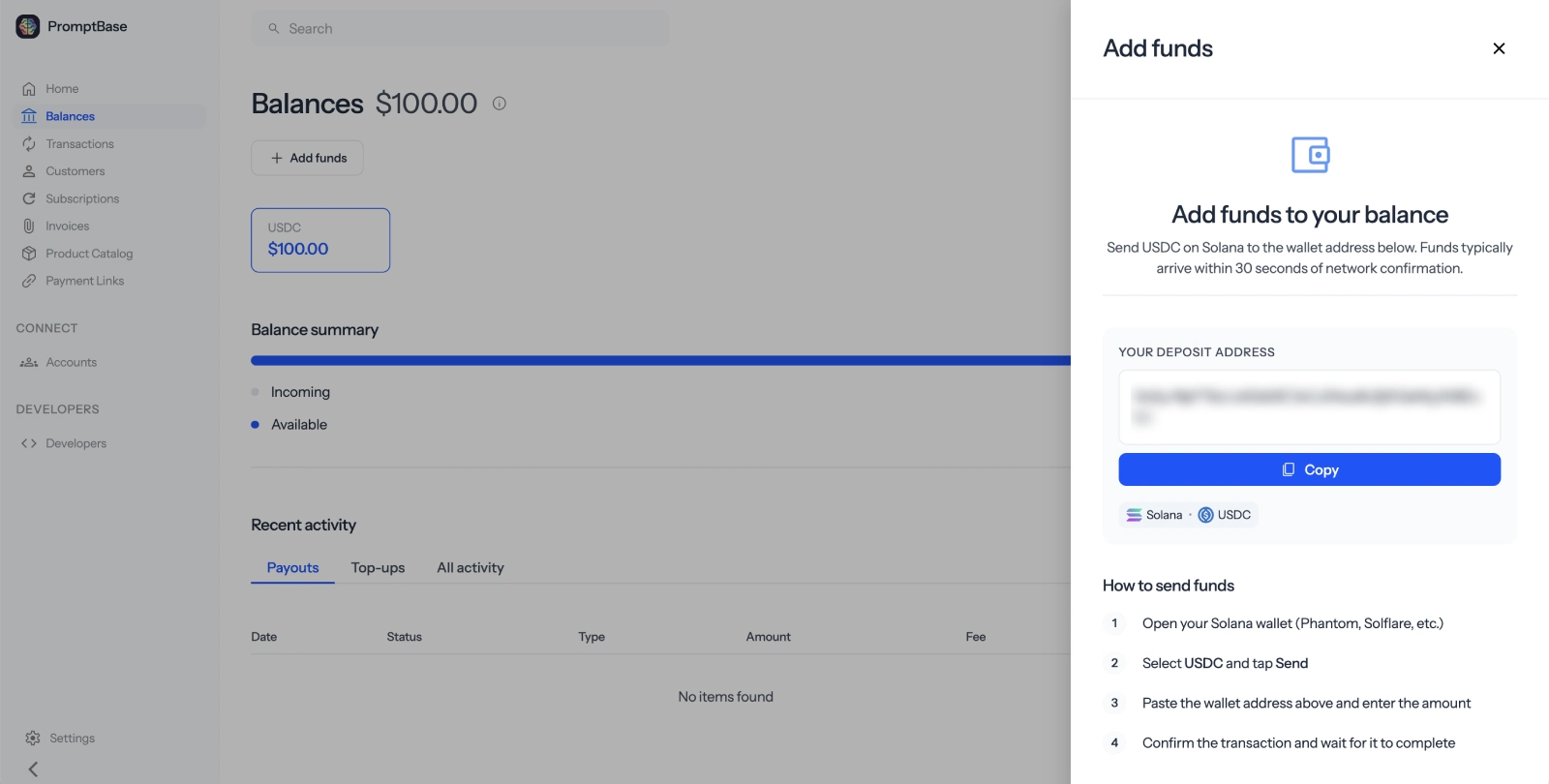
Before paying sellers, you need to add some USDC to the wallet. You can buy it through a service called an exchange, which lets you change regular money into stablecoins. Coinbase is one example you might have heard of.
The platform wallet funding guide walks through this one step at a time.
How do sellers get paid?
What about the people you're paying? How do they receive their money? Don't they need a wallet too?
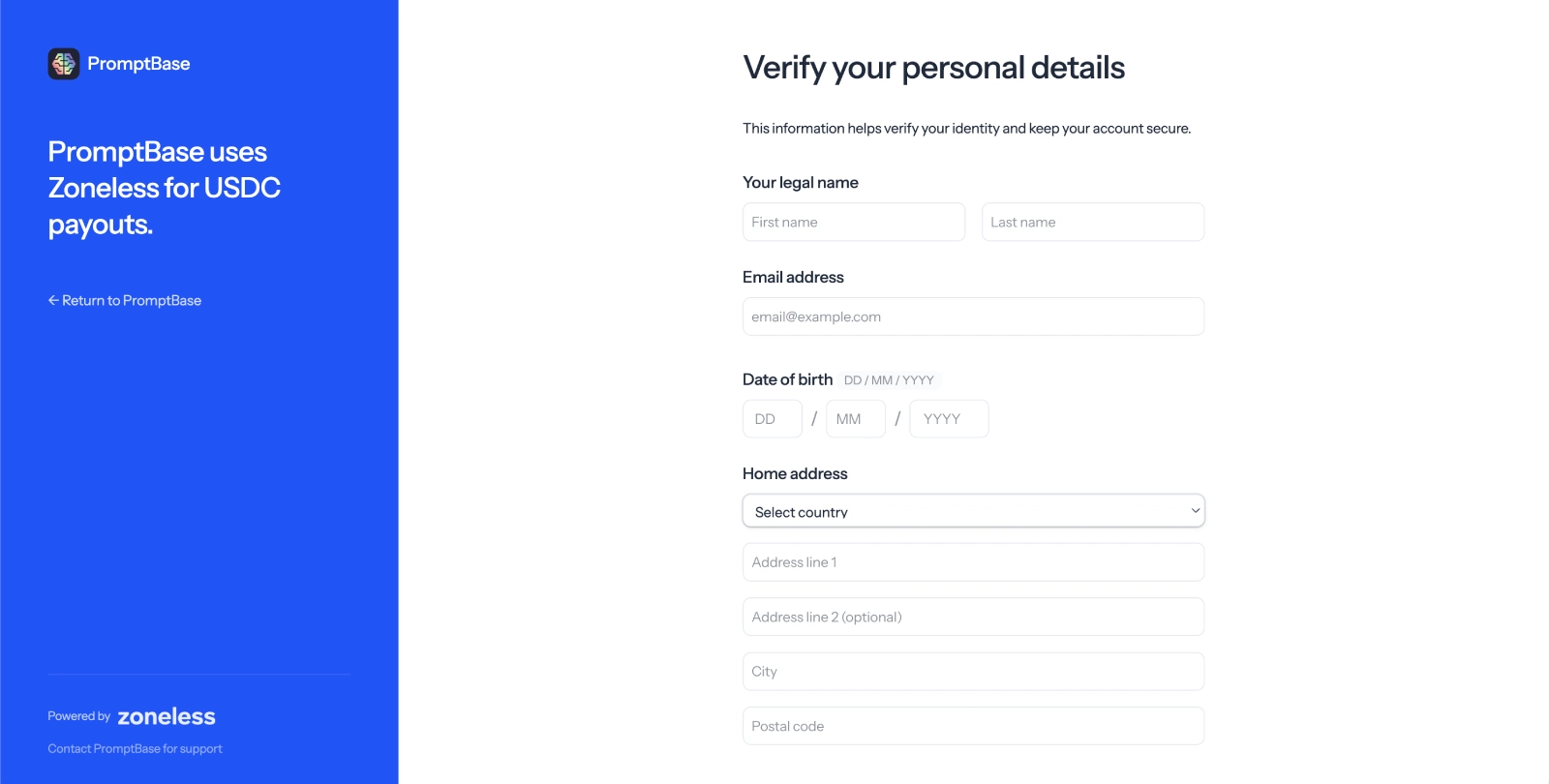
Seller onboarding works much like any other payout system. The seller opens a hosted onboarding link and enters details such as their name, address, and phone number.
Instead of adding a bank account, they connect the wallet where they want to receive payouts. If they don't have one, the onboarding flow shows them a beginner's guide to creating one. They don't need to buy any cryptocurrency before they can receive USDC.
A wallet has a public address, which is safe to share and works a little like a bank account number.
You might think creating a wallet would put sellers off, but our experience has shown otherwise. On PromptBase, a marketplace with more than 500,000 users, creators were offered Stripe and Zoneless as payout options. When offered both, 74% chose Zoneless.
In practice, the extra step hasn't been the barrier I expected it to be.
If you want to see it for yourself, open the live demo and click Try Seller Onboarding to go through the flow as a seller.
What happens when you pay a seller?
Once both wallets are set up, paying a seller is straightforward.
Your marketplace first records how much of its balance belongs to the seller. In Zoneless, this is called a transfer. It's similar to transferring funds to a connected account in Stripe.
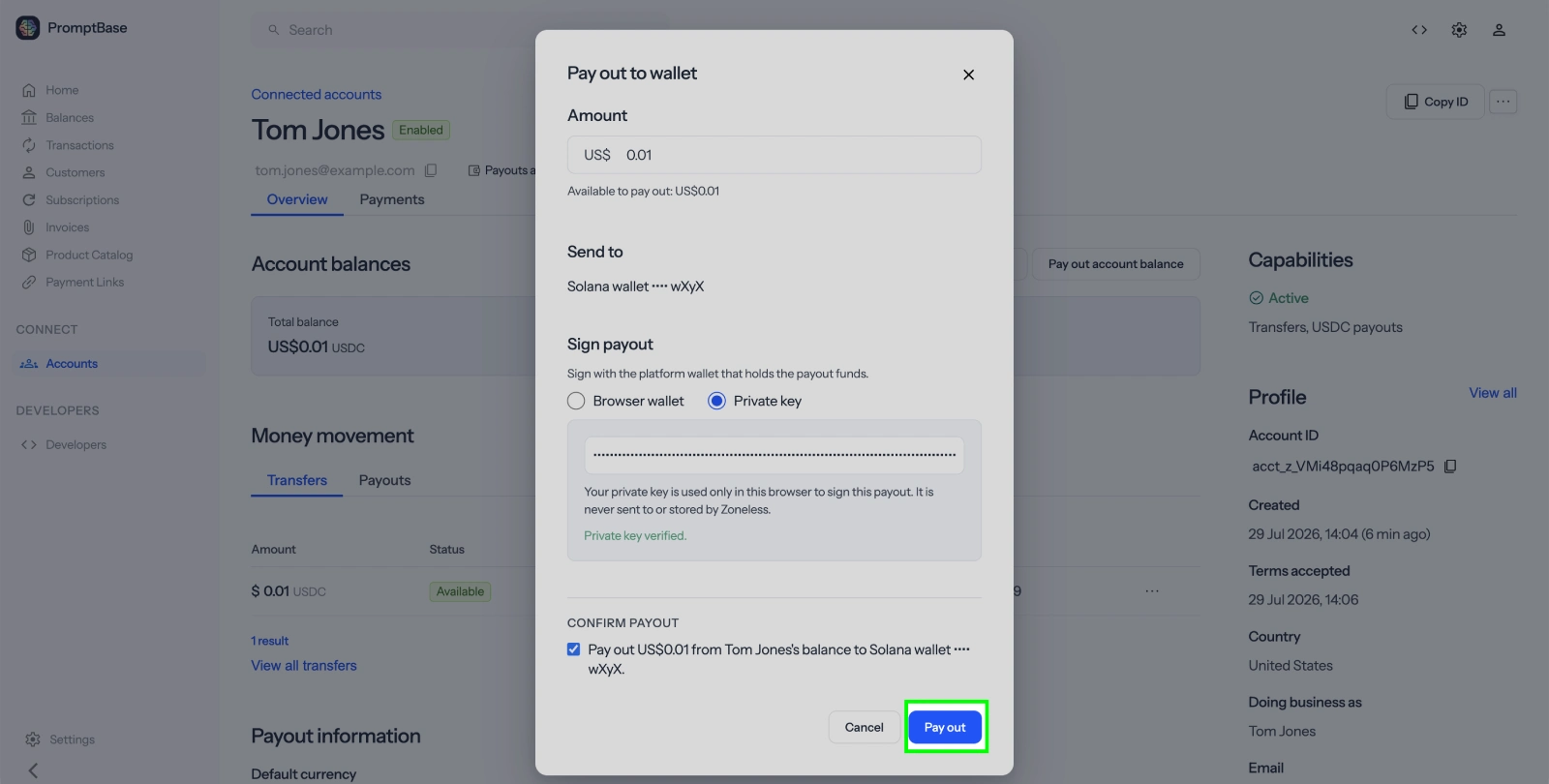
When the seller is ready to be paid, you create a payout. Zoneless sends the matching USDC from your platform wallet to the wallet the seller connected during onboarding. The payment is recorded on the blockchain and usually arrives within seconds.
In short, the money moves like this:
- Your marketplace buys USDC and adds it to its platform wallet.
- The seller earns money and their Zoneless balance is updated.
- You create a payout.
- The USDC moves from your platform wallet to the seller's wallet.
Zoneless doesn't charge a payout fee. The blockchain charges a small network fee for moving the USDC, currently around $0.002.
What can the seller do with USDC?
The seller can keep the USDC in their wallet or spend it with a service that accepts USDC.
If they want the money in their bank account, they can send the USDC to an exchange available in their country, such as Coinbase. From there, they can sell it for pounds, euros, dollars, or another supported currency and withdraw the money to their bank.
This is usually the most unfamiliar part of the process. Once their exchange account is set up, receiving and converting USDC works much like using any other payout service.
Set it up with or without code
You don't need to write any code to try the full flow. The dashboard quickstart shows you how to create a connected account, onboard a seller, add test funds, and send a test payout.
If you want to build Zoneless into your marketplace yourself, follow the API Quickstart. The API follows Stripe's structure, with familiar resources such as Accounts, Account Links, Transfers, and Payouts.
You can also copy the setup prompt from the Zoneless home page and paste it into your coding agent. It will add Zoneless as an optional payout method while leaving your existing checkout and payout options in place. This lets you test USDC payouts without changing how your current sellers get paid.
That's really all there is to it. Your marketplace holds USDC in its own wallet, your sellers connect wallets of their own, and the blockchain moves the money between them. The onboarding and payout flow still feels familiar. The money just takes a different route.