


Identity Verification (KYC)
Review suspicious accounts and require identity checks before sellers receive larger payouts.
 How identity checks work
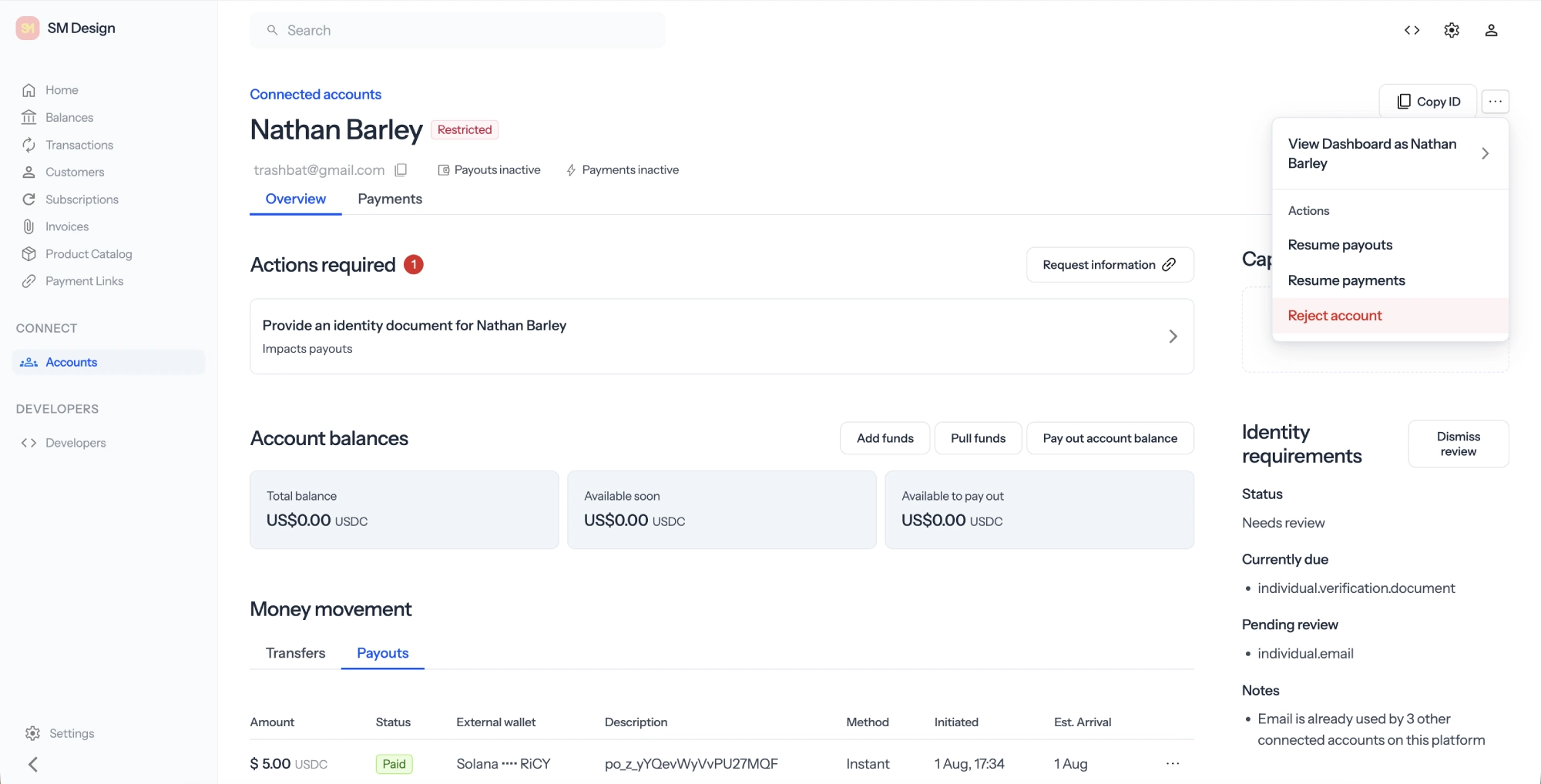
Zoneless gives marketplaces two levels of protection. The first is a set of lightweight checks that run whenever a connected account signs up. These checks look for suspicious details, such as a phone number used by several accounts or a mismatch between the seller's country, address, and IP address.
Flagged accounts appear as In review in your connected accounts dashboard. Their payouts stay enabled, so you can review the details and decide whether to pause payouts or reject the account.
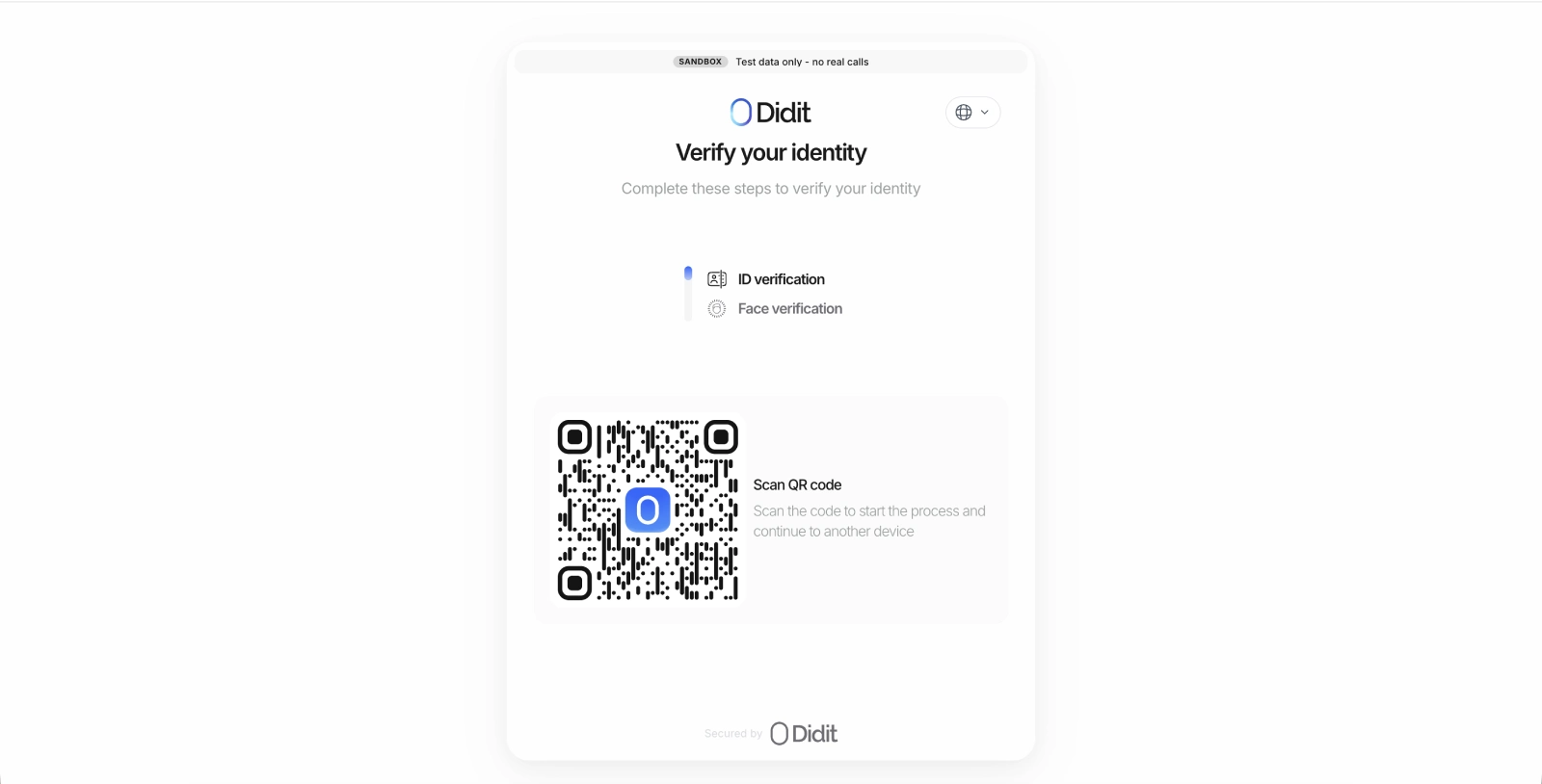
Optionally, for stronger checks, Zoneless connects to Didit. Didit asks the seller for an identity document and a selfie, then checks that the document is valid and belongs to them. Didit currently includes 500 checks per month for free. Additional checks cost $0.33 each.
Guide: Connect Didit for full KYC
Connect one Didit workspace to your Zoneless instance. Zoneless starts a check automatically when a seller reaches one of the payout limits you set.
1Create a Didit account
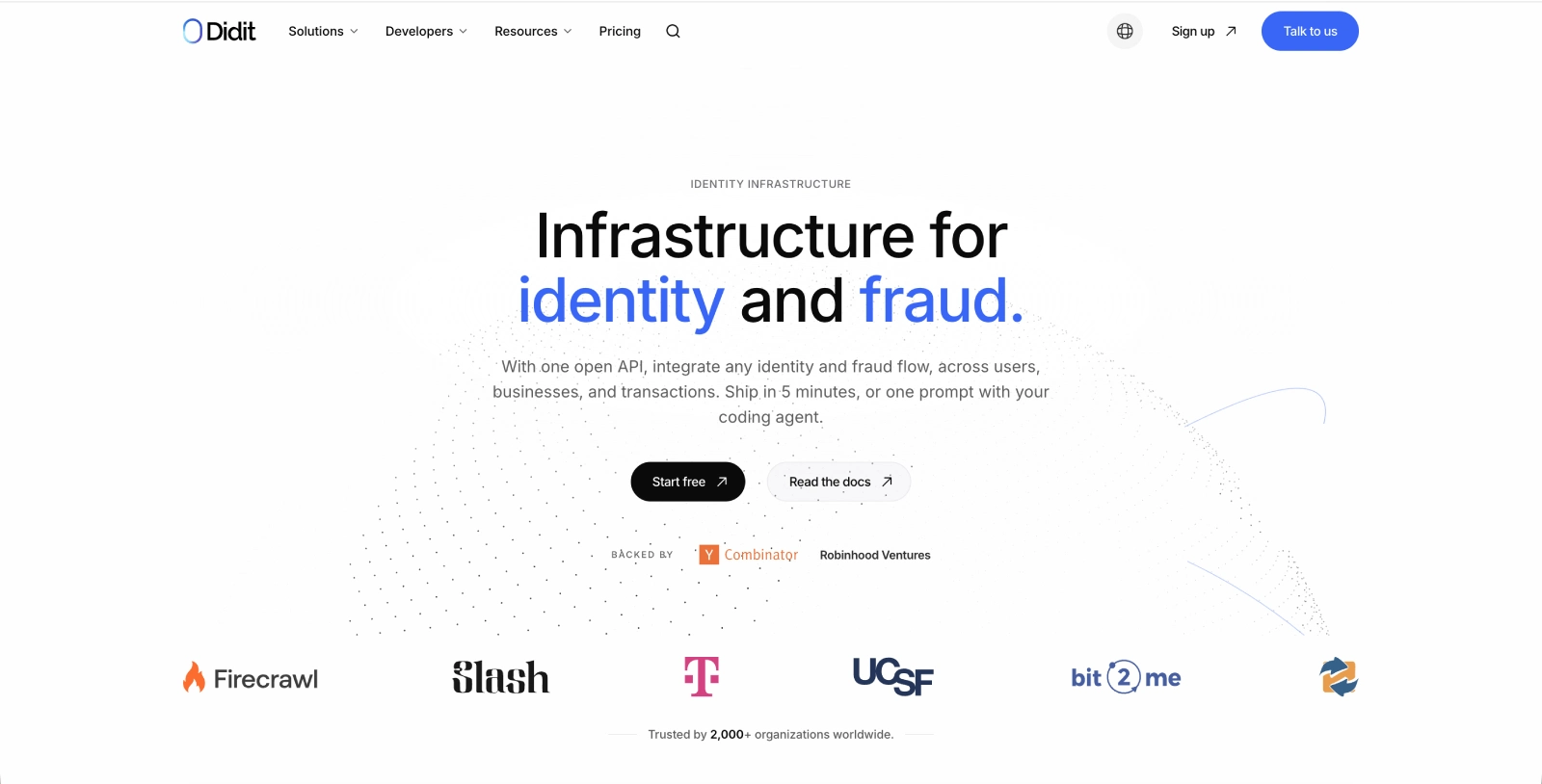
Go to Didit and create an account.
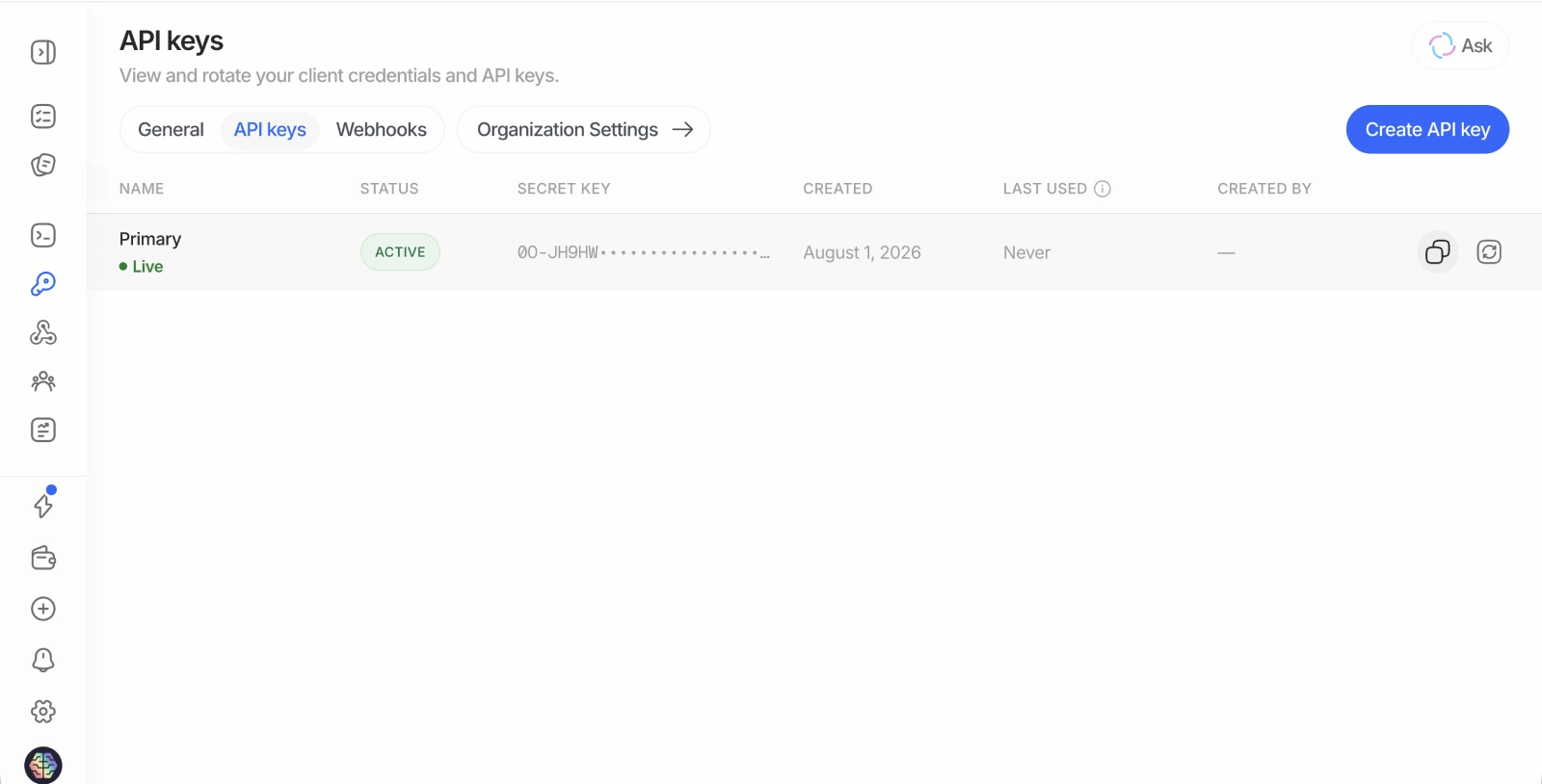
2Copy your API key
In Didit, open the API keys page and copy your API key.
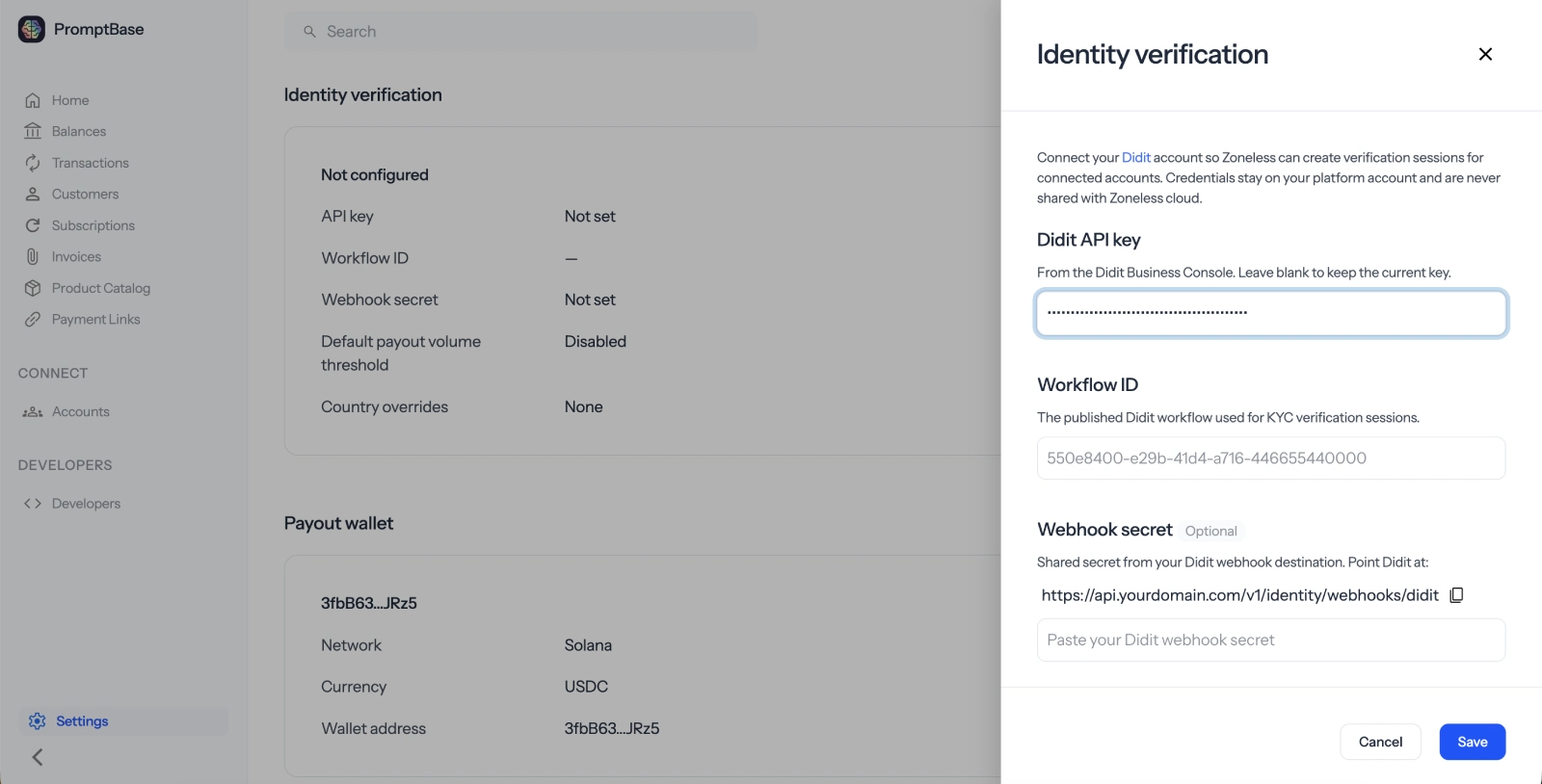
3Add the API key to Zoneless
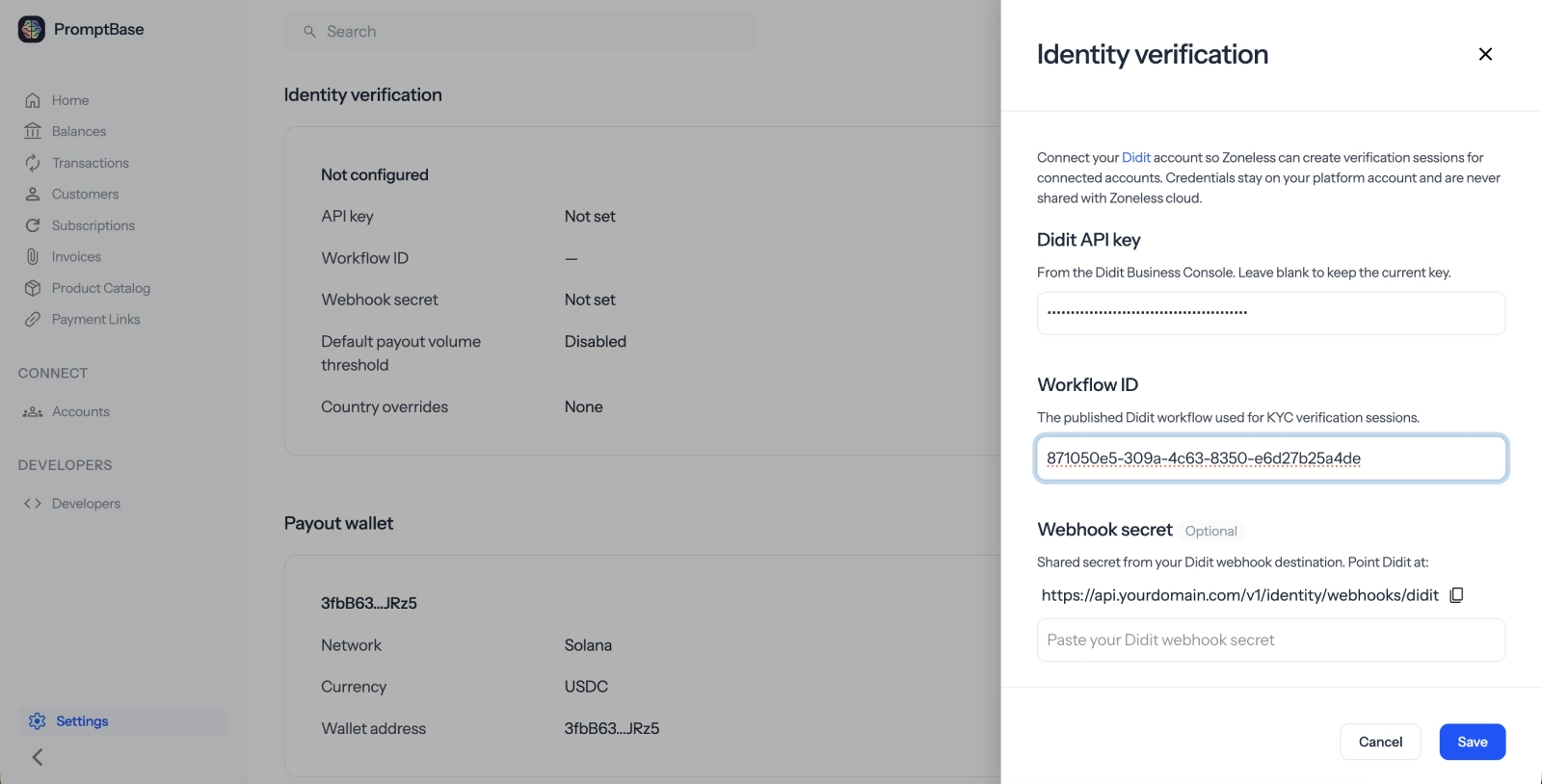
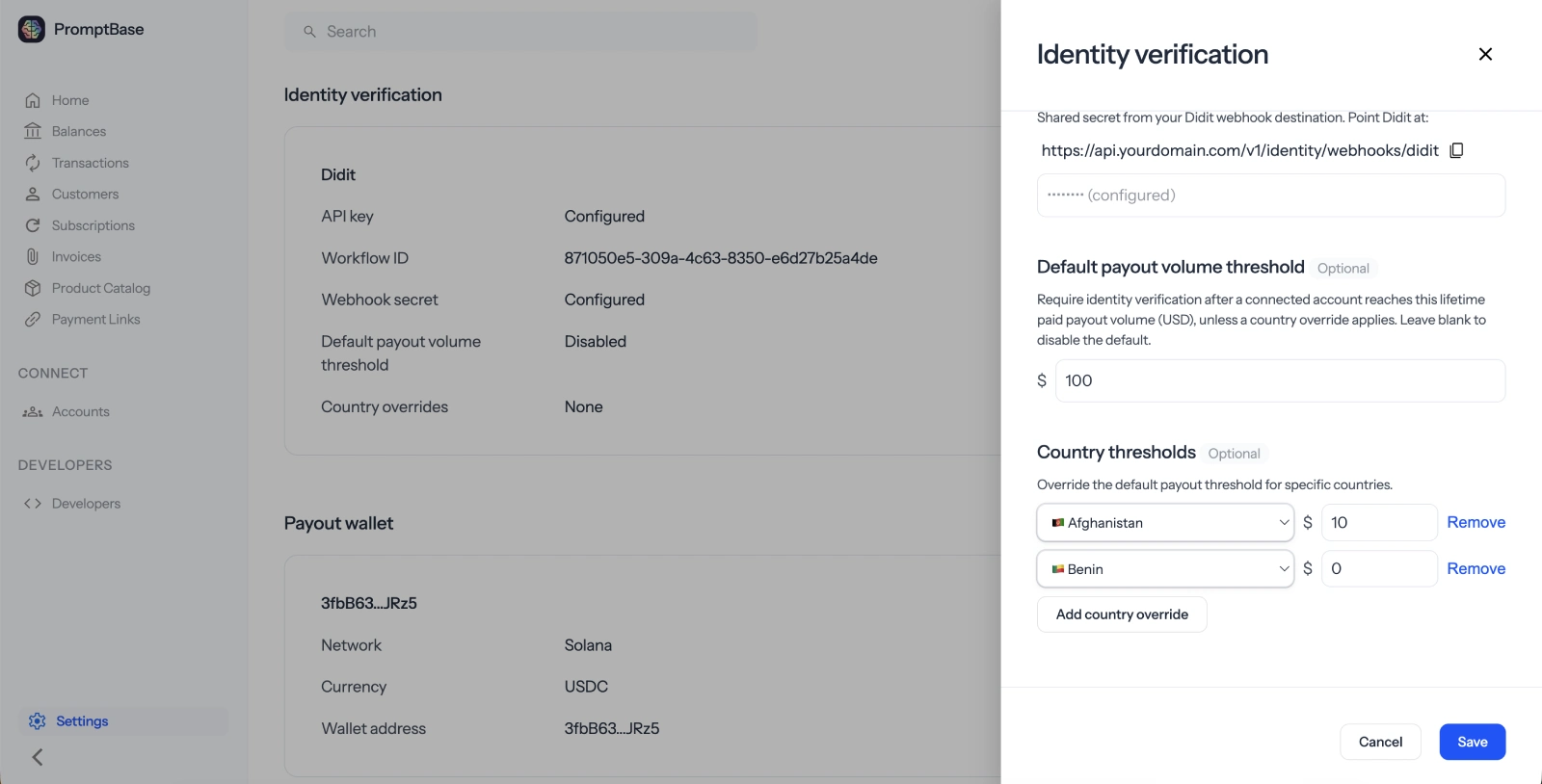
In Zoneless, open Settings, then Identity. Paste the key into Didit API Key.
4Copy the workflow ID
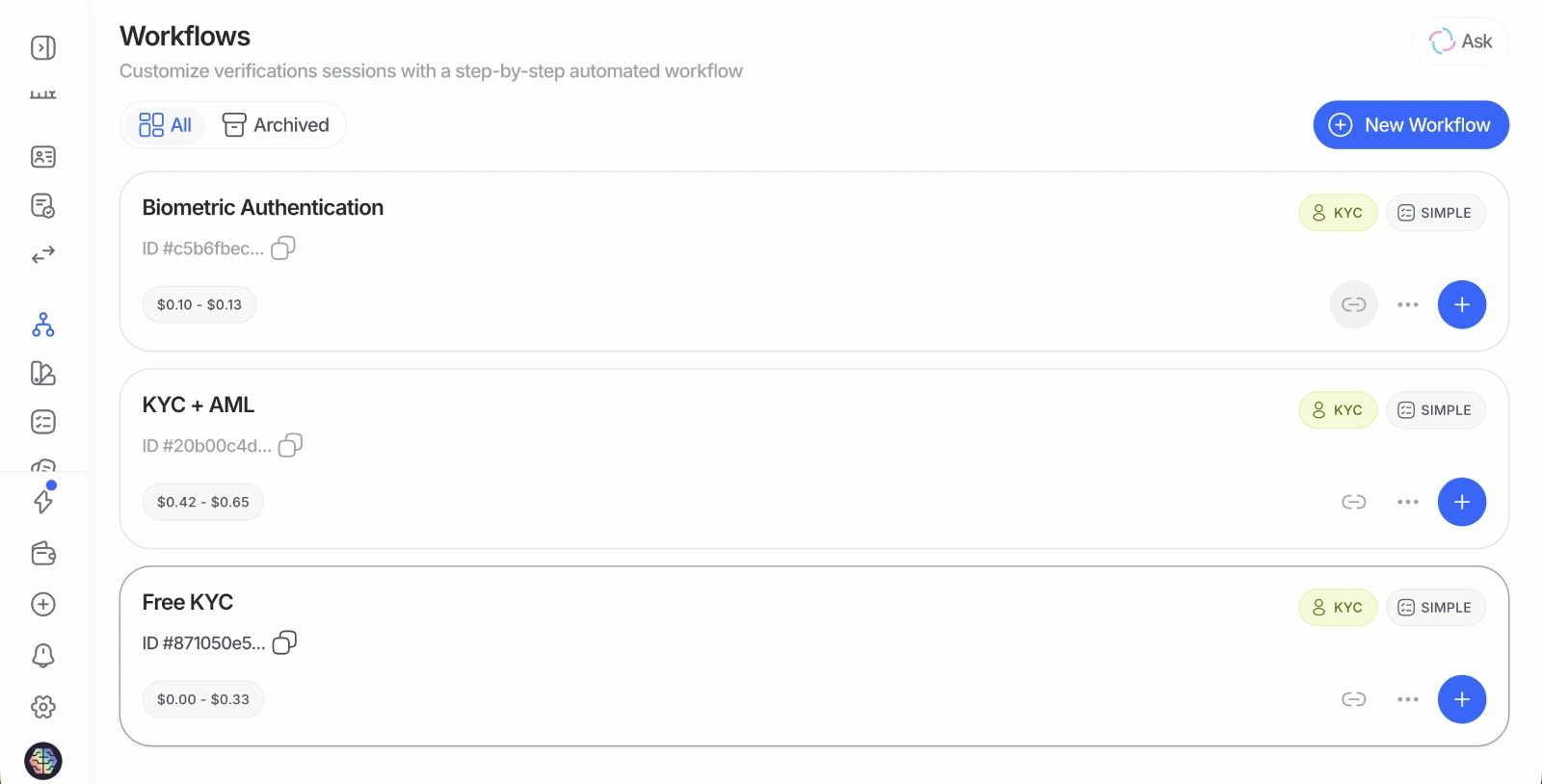
Return to Didit and open Workflows. Find the Free KYC workflow and click the copy button next to its ID.
5Add the workflow ID to Zoneless
Paste the ID into the Workflow ID field in your Zoneless Identity settings.
6Create a webhook in Didit
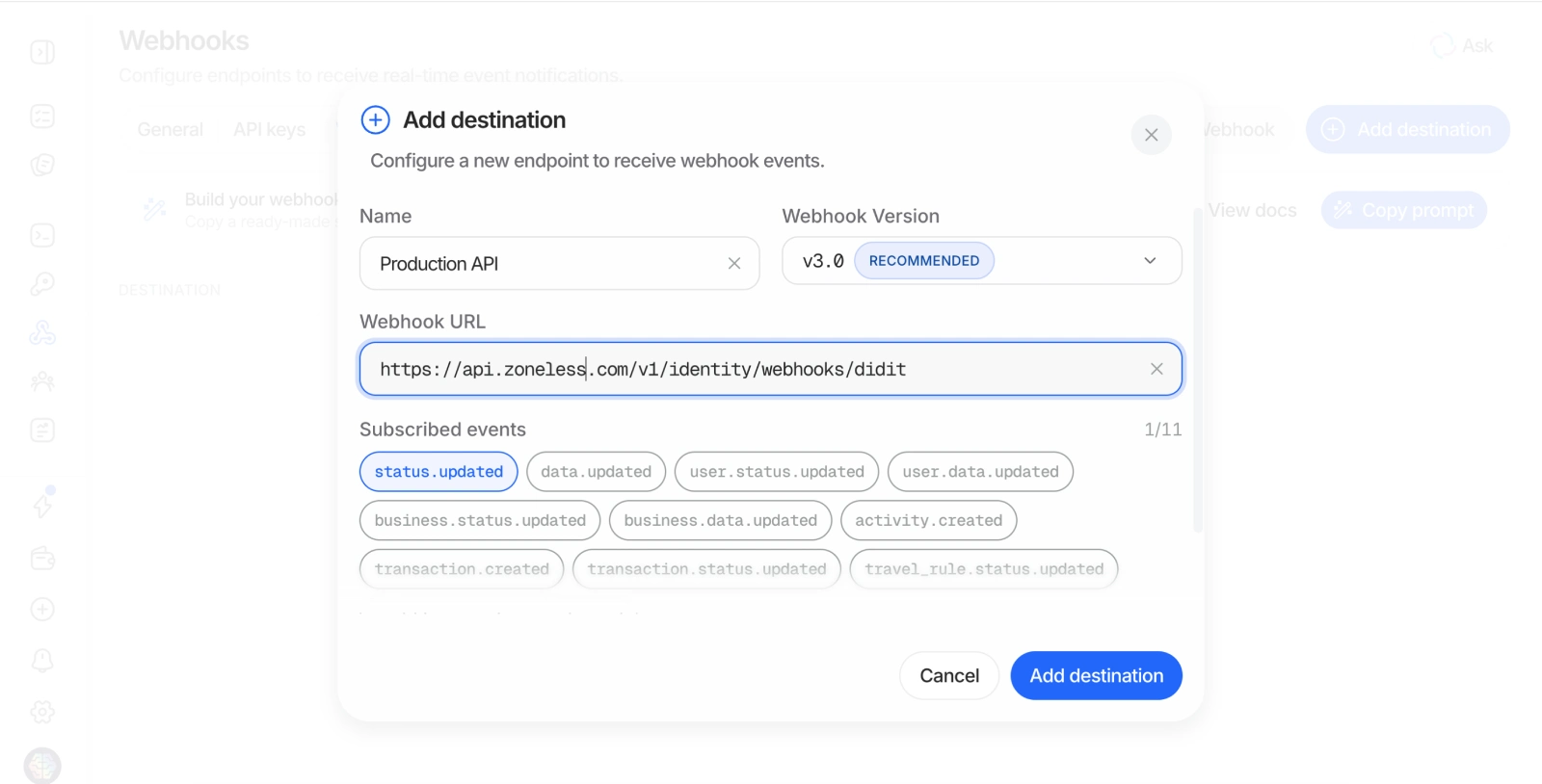
In Didit, open Webhooks and click Add destination. Give the webhook a name, then paste in the webhook URL shown in your Zoneless Identity settings.
If you use Zoneless Cloud, the URL is https://api.zoneless.com/v1/identity/webhooks/didit. If you self-host, use the same path on your own API domain.
Subscribe to the status.updated event.
7Save the webhook secret
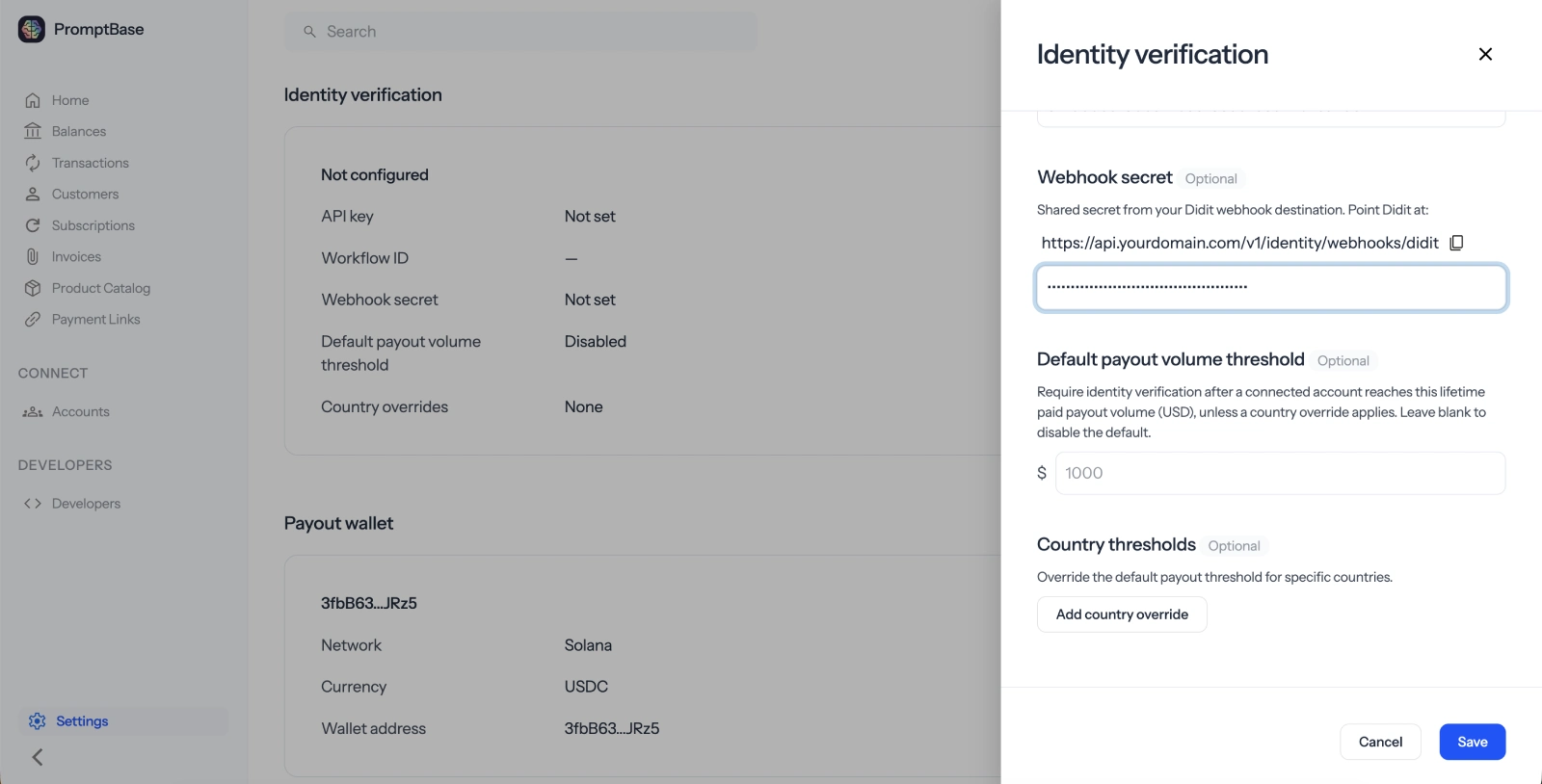
Create the webhook, then copy its secret. Return to Zoneless and paste it into Webhook secret.
The secret lets Zoneless confirm that identity updates really came from Didit.
8Set your payout thresholds
Choose how much a seller can receive before they must complete KYC. For example, enter 100 to require a check when a seller reaches $100 in payouts.
You can also add different thresholds for individual countries. For example, you could require sellers in Spain to complete KYC after $10 in payouts while using the default threshold everywhere else.
- Leave a threshold blank to disable automatic KYC checks.
- Set a threshold to
0to require KYC before the first payout.
What happens next
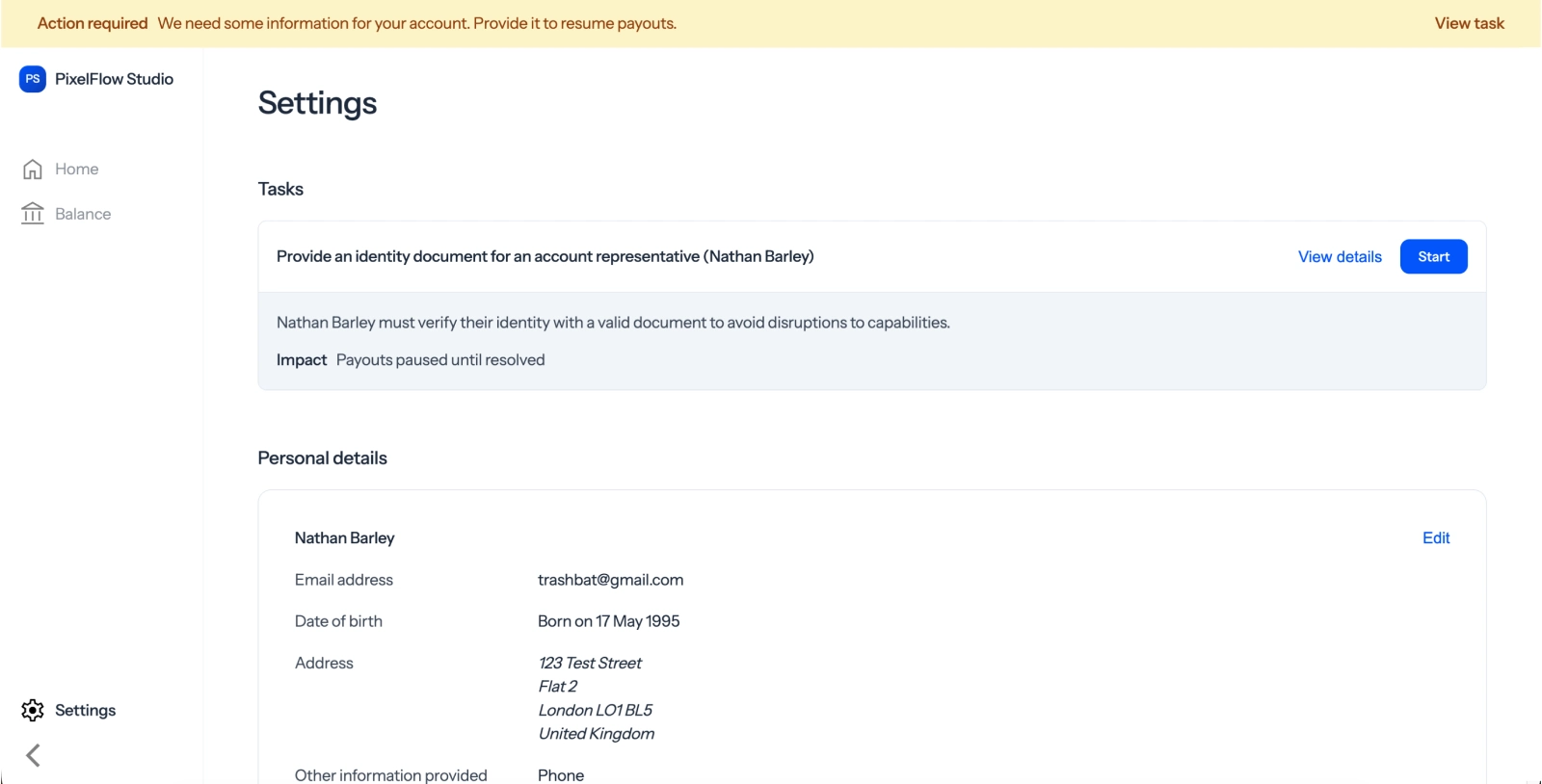
When a seller reaches a threshold, Zoneless pauses their payouts and shows a notification in their Express Dashboard. The seller follows the link to Didit, then uses their phone to upload a valid identity document and complete a selfie check.
Didit sends the result to Zoneless through the webhook. Once the check is approved, Zoneless enables the seller's payouts again.
Next steps
- Connected accounts - manage your marketplace sellers
- Webhooks - receive updates from Zoneless
- Payouts - pay connected accounts in USDC
- How to run KYC checks on marketplace sellers - learn how to choose a KYC policy